Personal
$49a year
- All fields and blocks
- A year of updates and support
- Full documentation for you and Claude Code
GCB is a WordPress plugin for building your own Gutenberg blocks with fields, by hand or with Claude Code. Build anything your design needs, with control over every field. Each one is a standard block registered with block.json, so your clients edit every word, image and setting in the editor they already know, without breaking the design.
30-day money-back guarantee.
Your blocks are ordinary Gutenberg blocks, registered with block.json and built from WordPress's own components. This is what GCB adds to them.
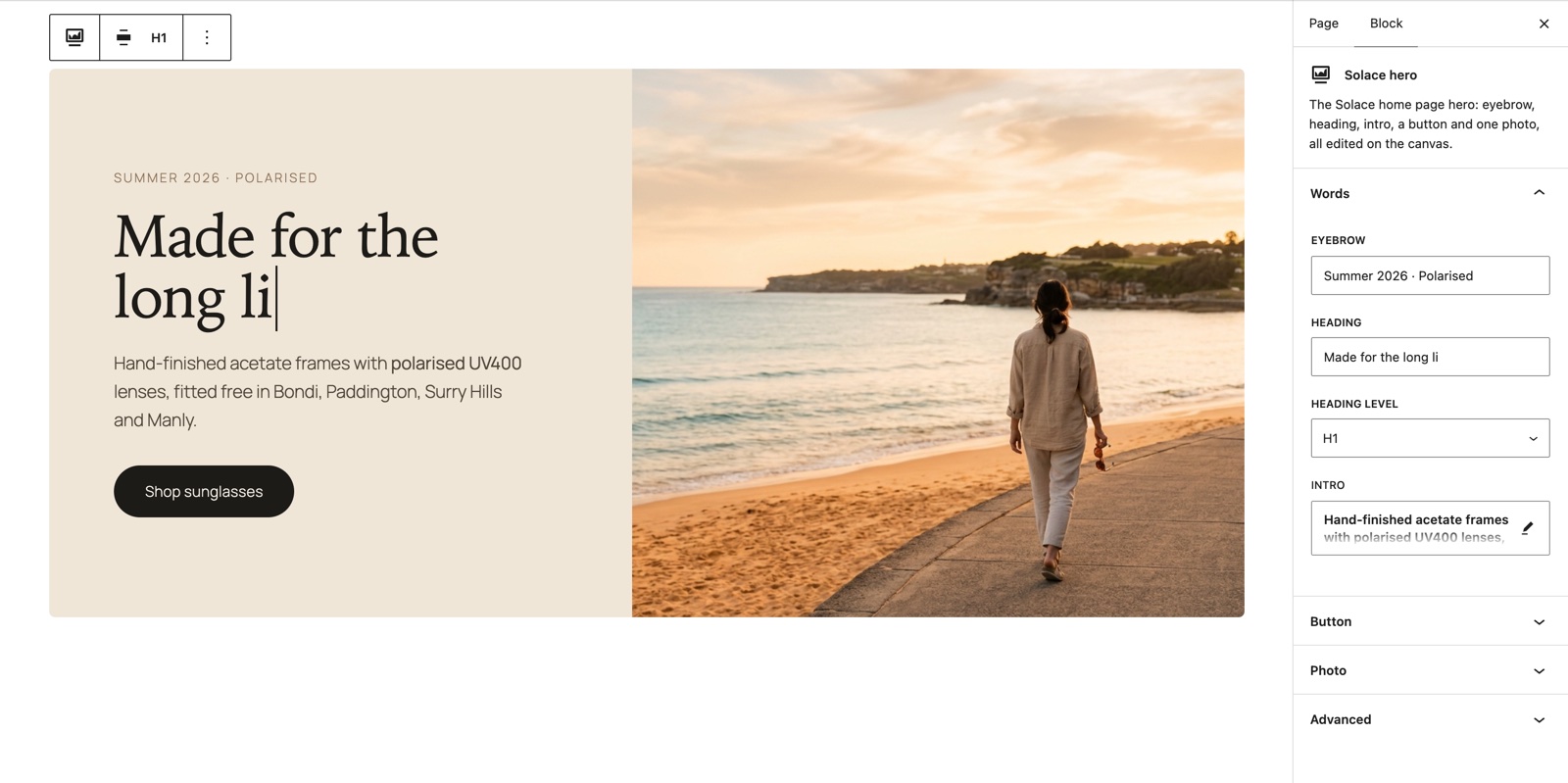
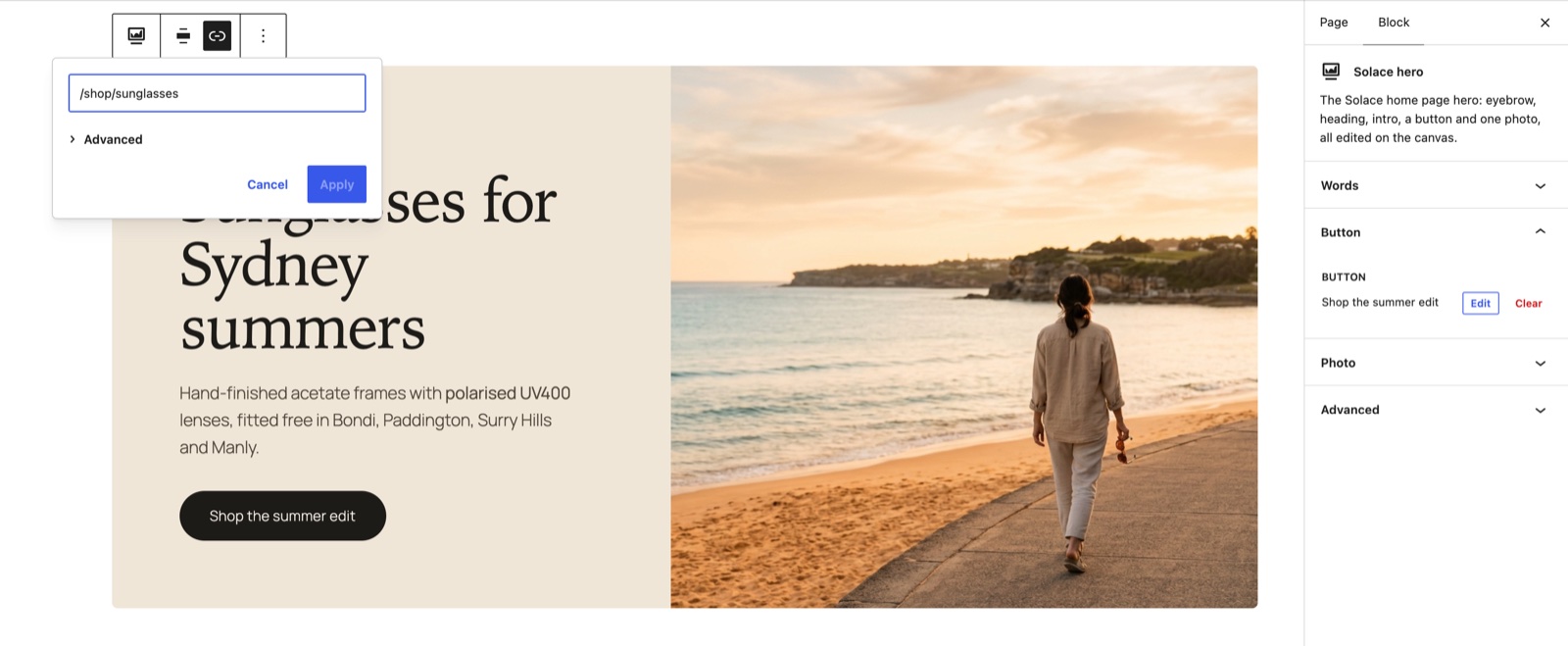
Typed fields
Headings, text, links and images your client edits right on the page or in the sidebar. Both stay in sync.
<h1 data-gcb-field="heading"
    data-gcb-field-type="text">
  <?= esc_html( $attributes['heading'] ) ?>
</h1>Real WordPress blocks
Areas where your client adds normal WordPress blocks, limited to the ones you allow. One block can have several of these areas, each with its own list, or repeaters that add the same block again and again: an introduction, a row of product cards, a row of buttons.
<InnerBlocks data-gcb-slot="0" allowedBlocks='["core/heading", "core/paragraph"]' />
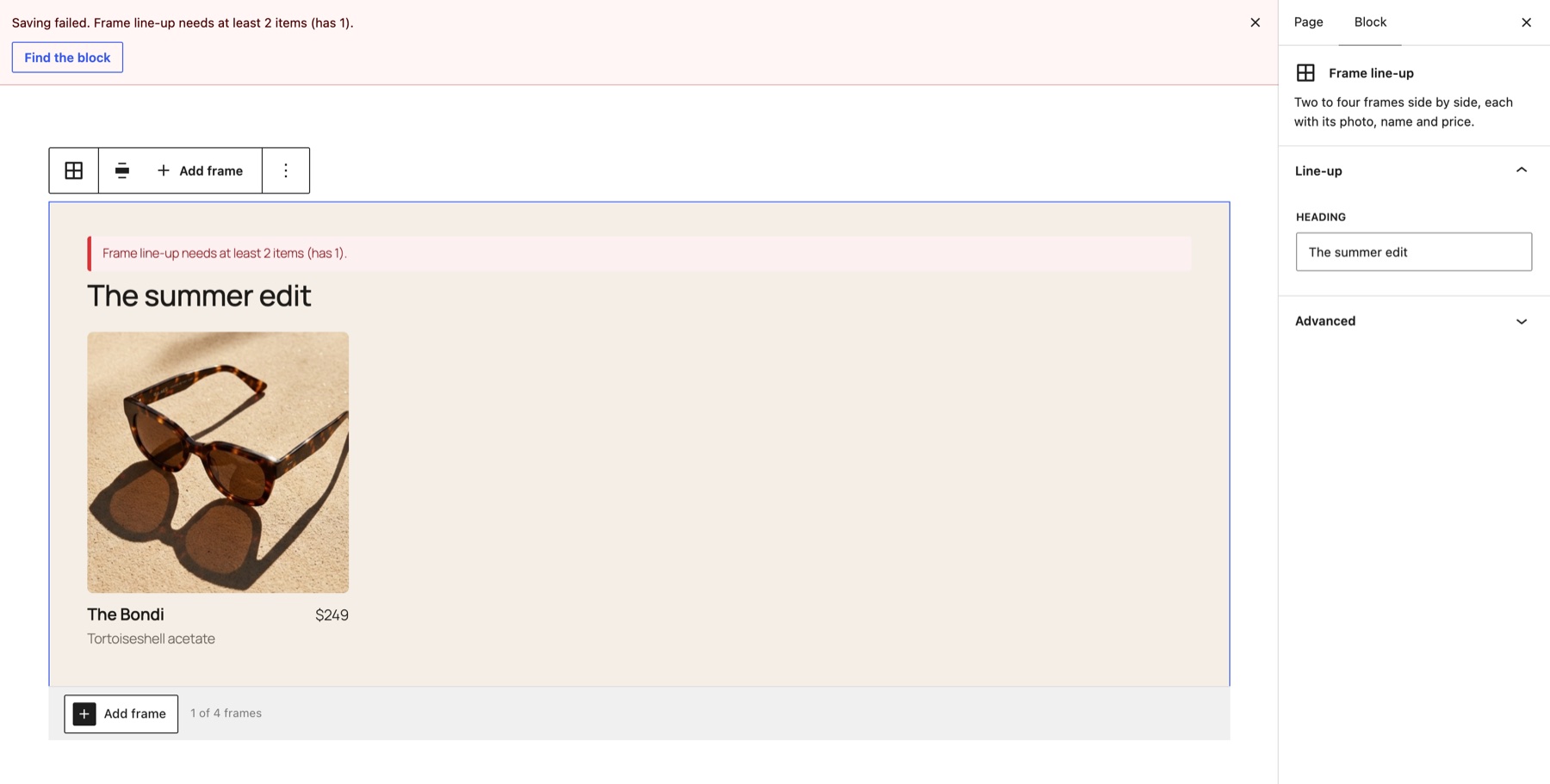
<Repeater allowedBlocks='["gcb/frame"]' min="2" max="4" />
<InnerBlocks data-gcb-slot="1" allowedBlocks='["core/buttons"]' />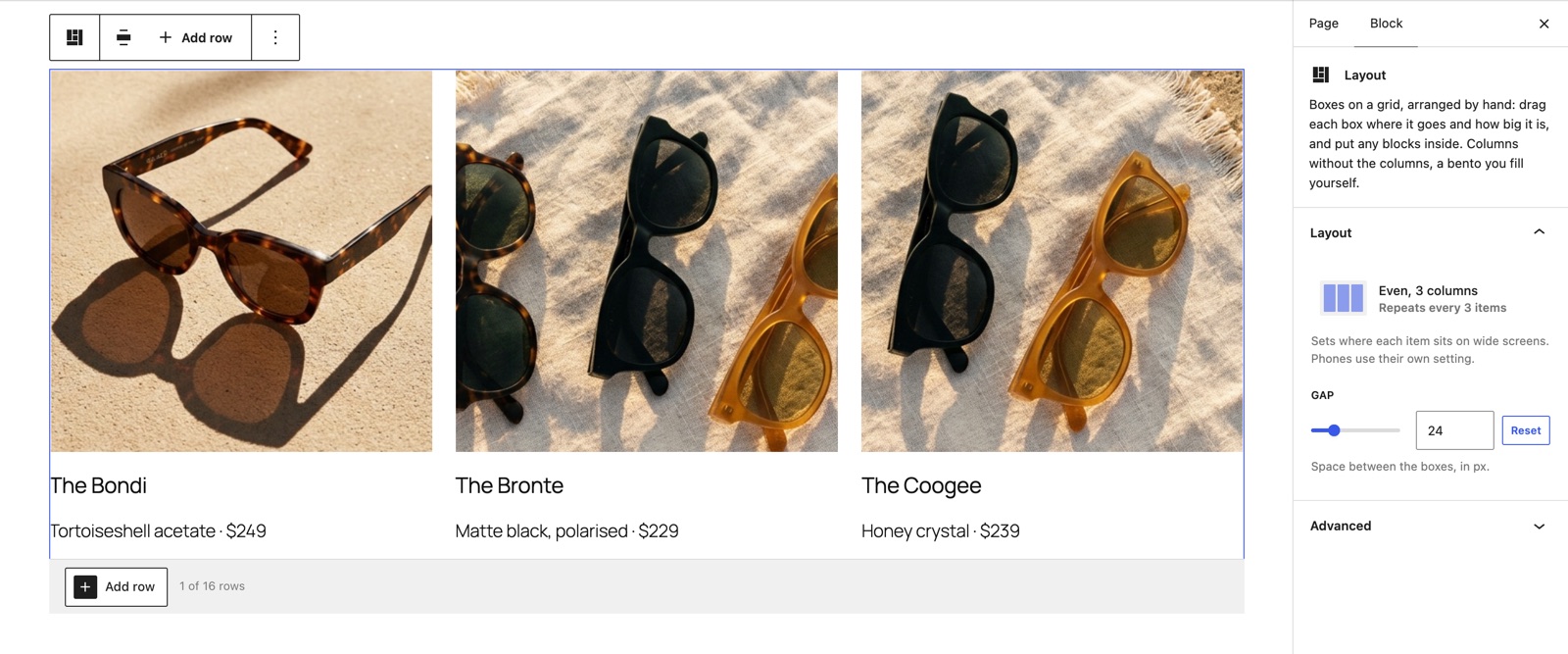
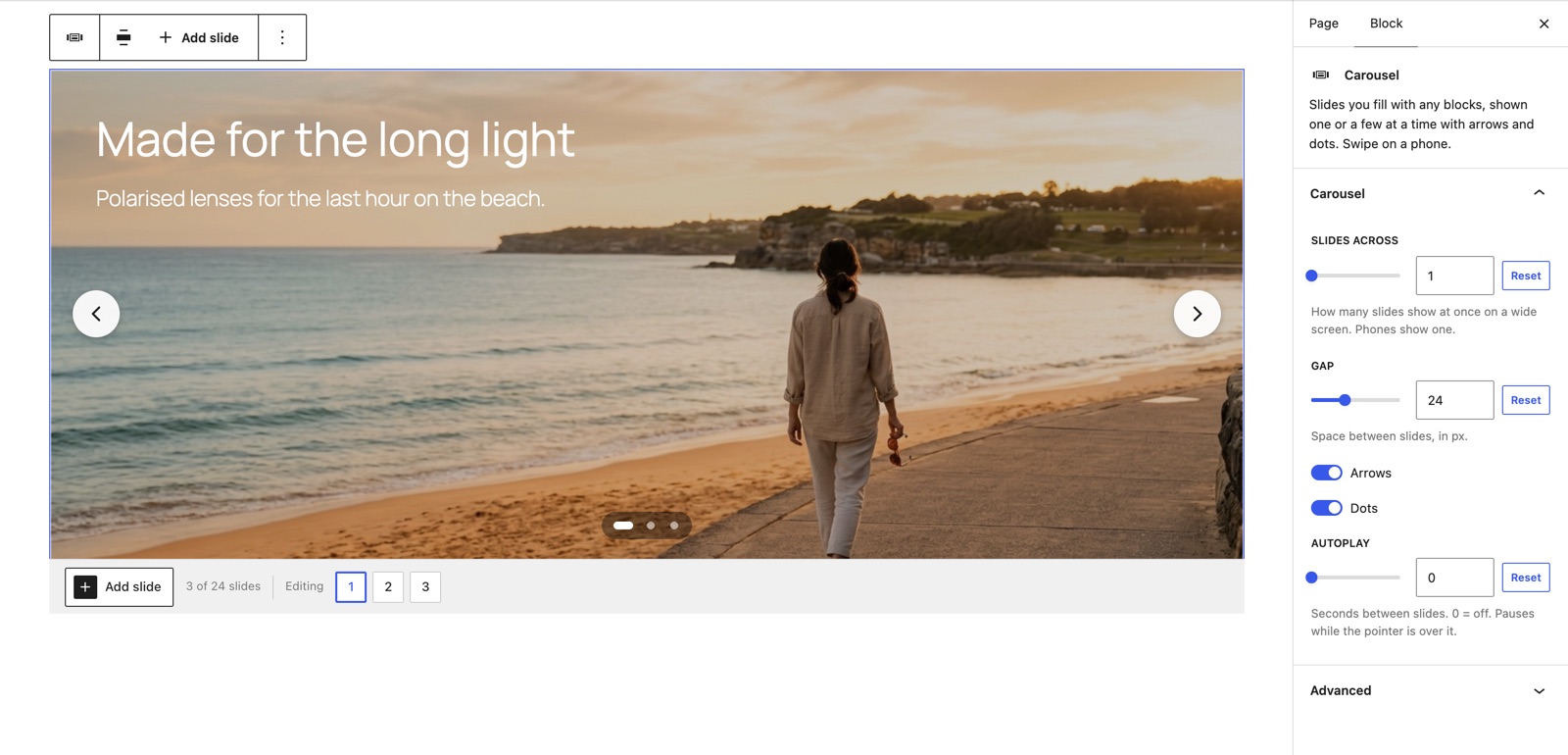
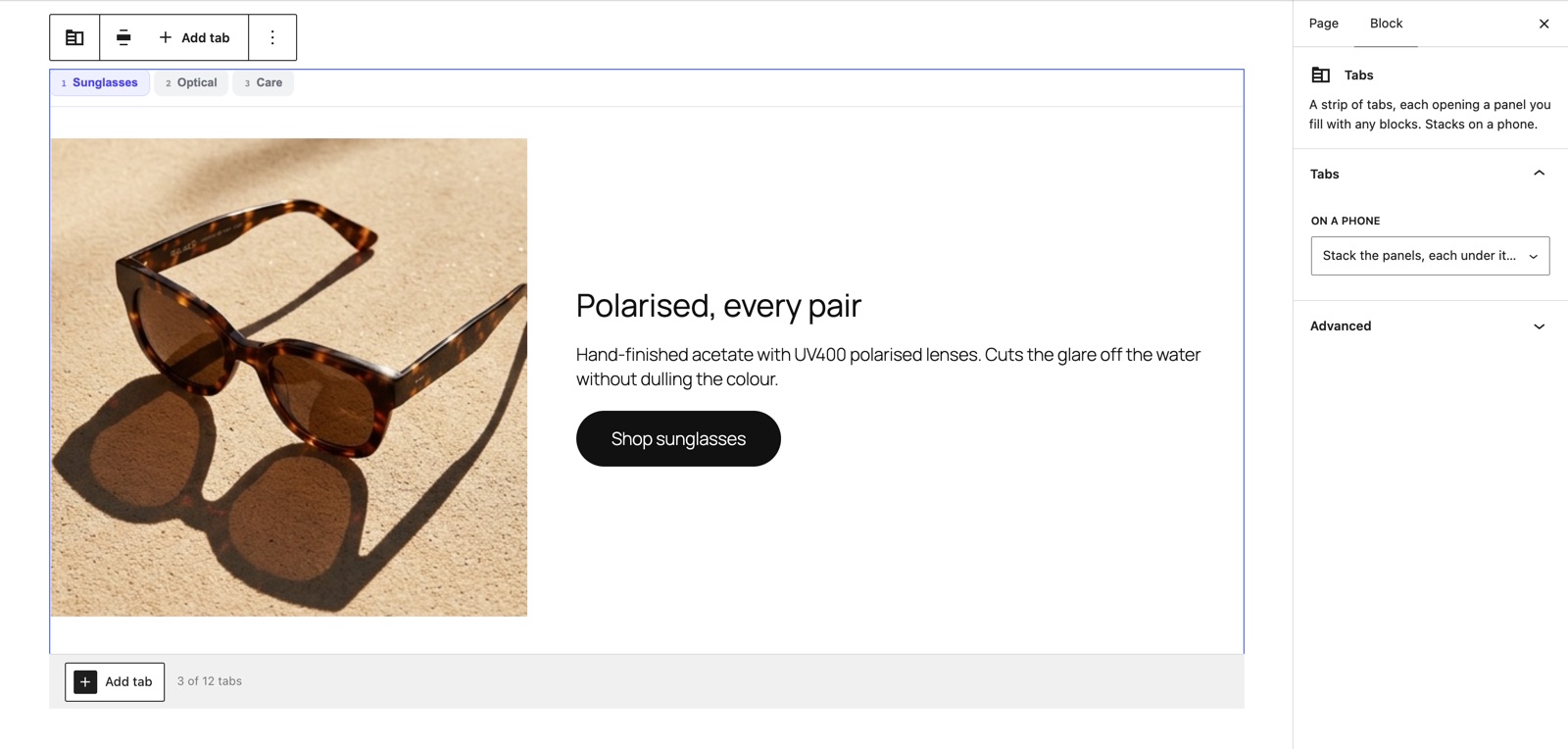
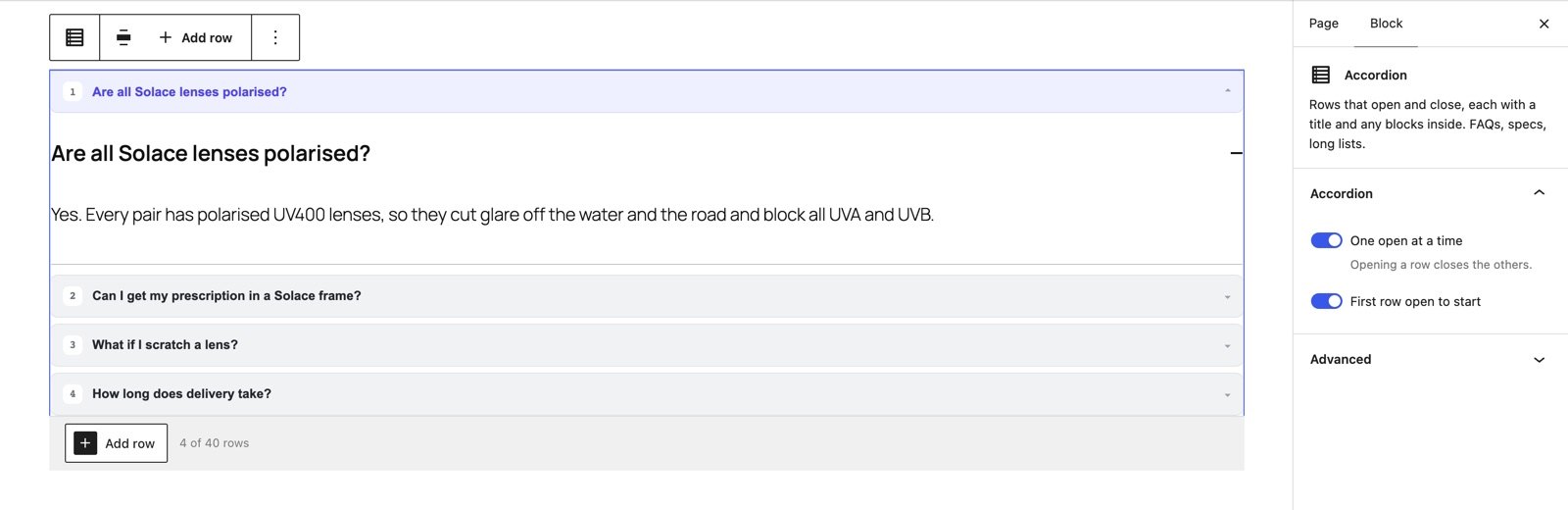
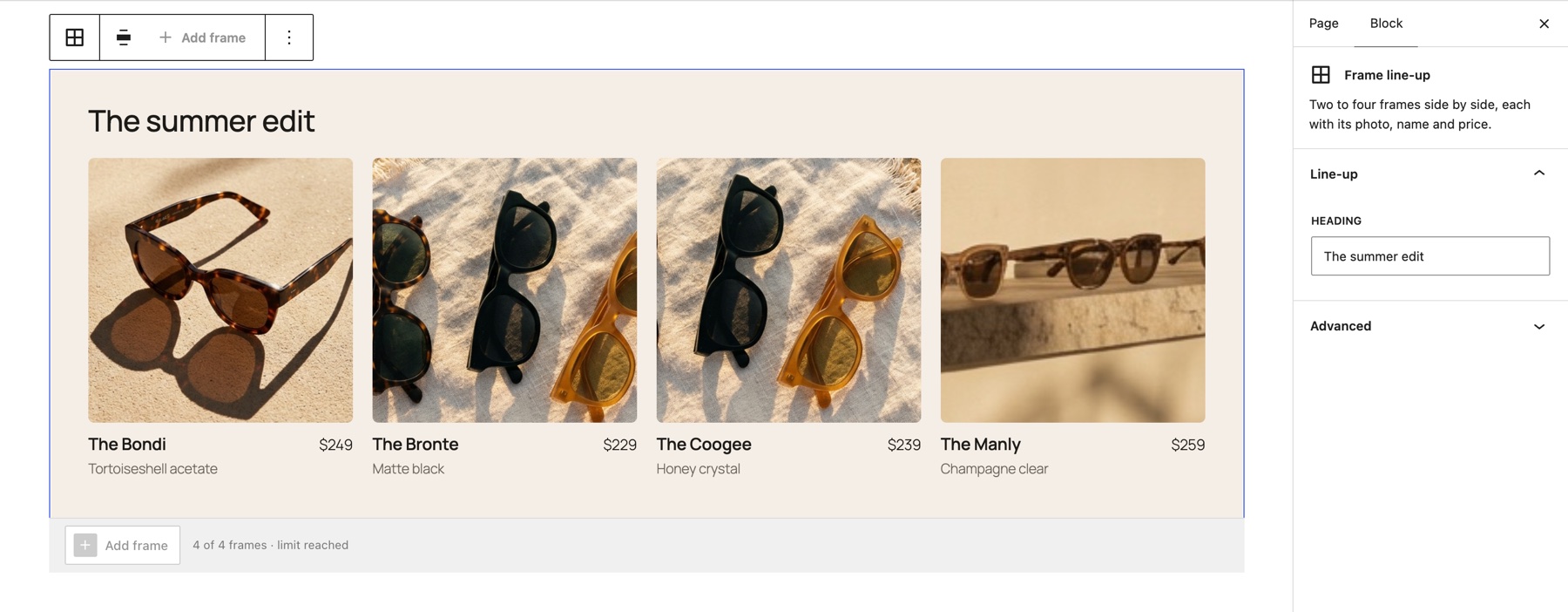
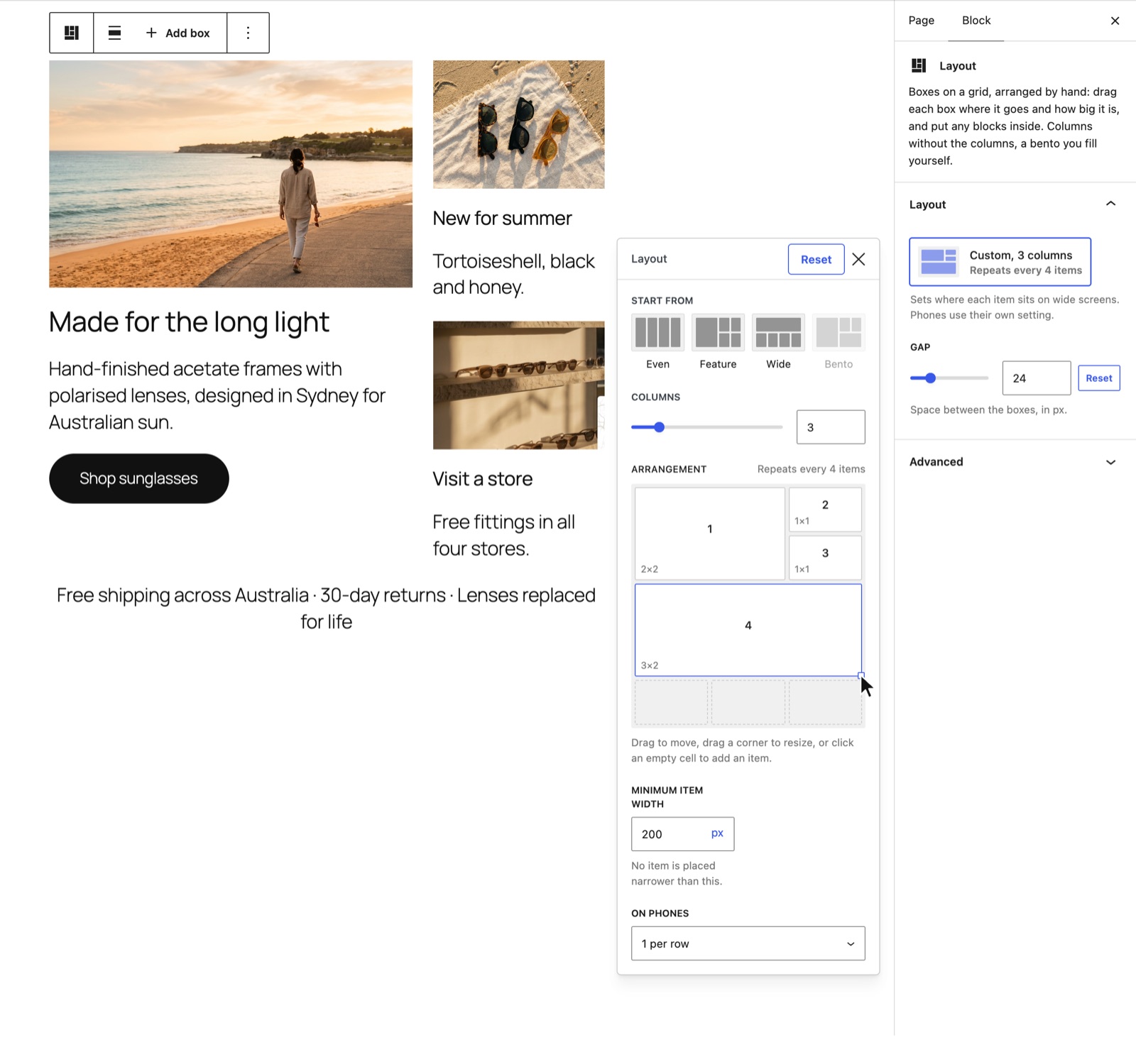
<Repeater allowedBlocks='["gcb/frame"]' addButtonLabel="Add frame" min="2" max="4" editLayout="grid" />These shots are GCB's own Layout, Carousel, Tabs and Accordion blocks, which use the same editLayout values.
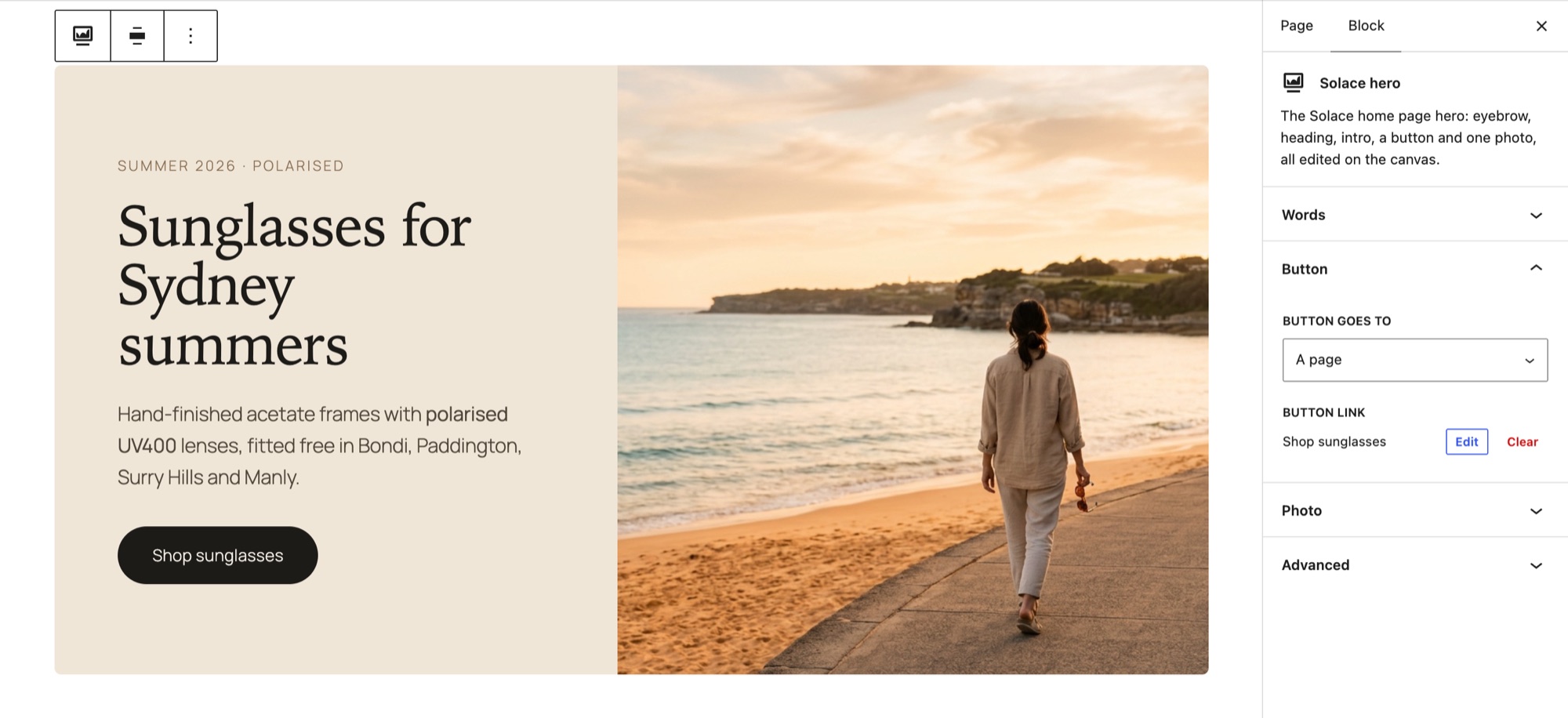
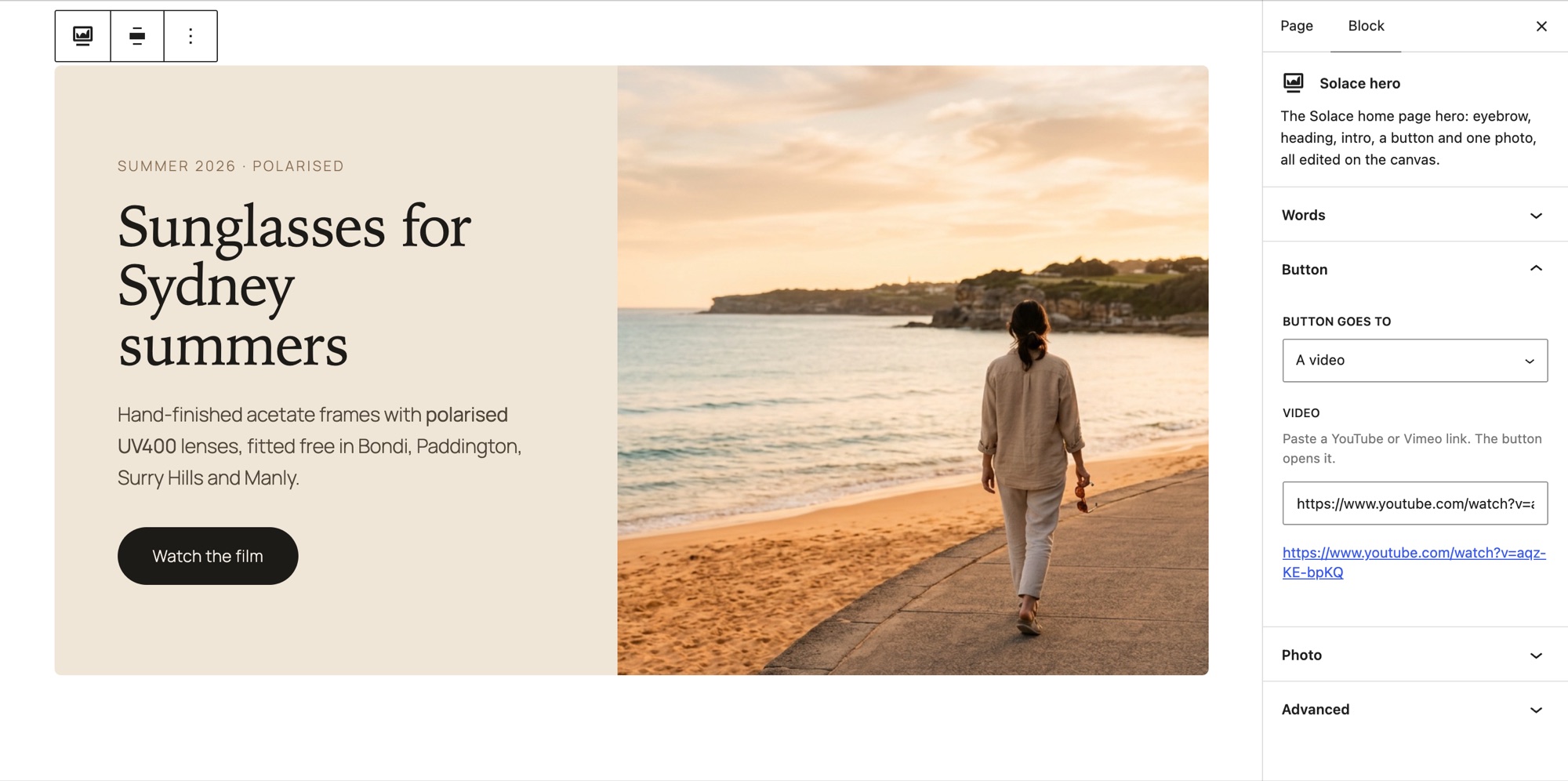
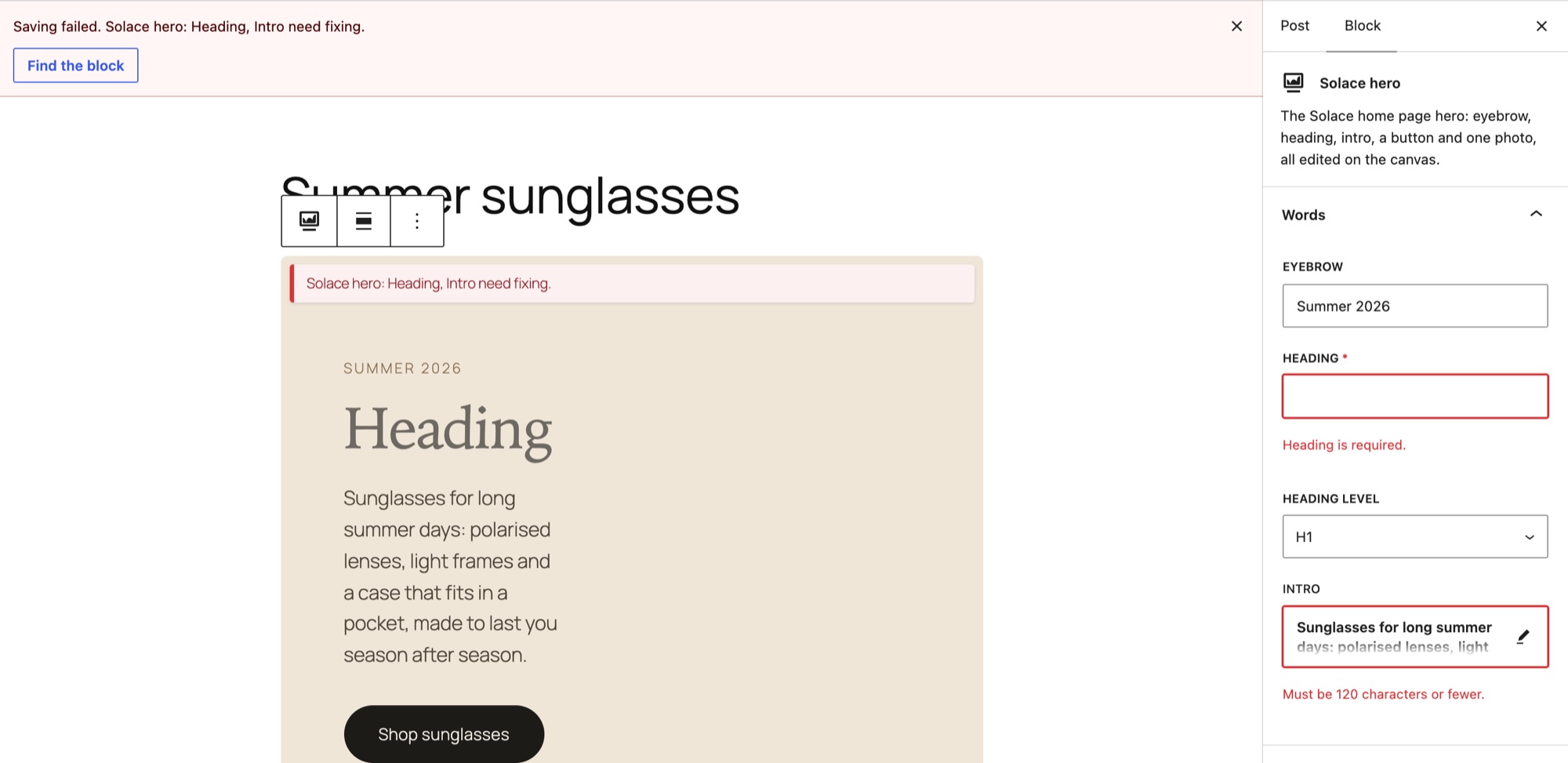
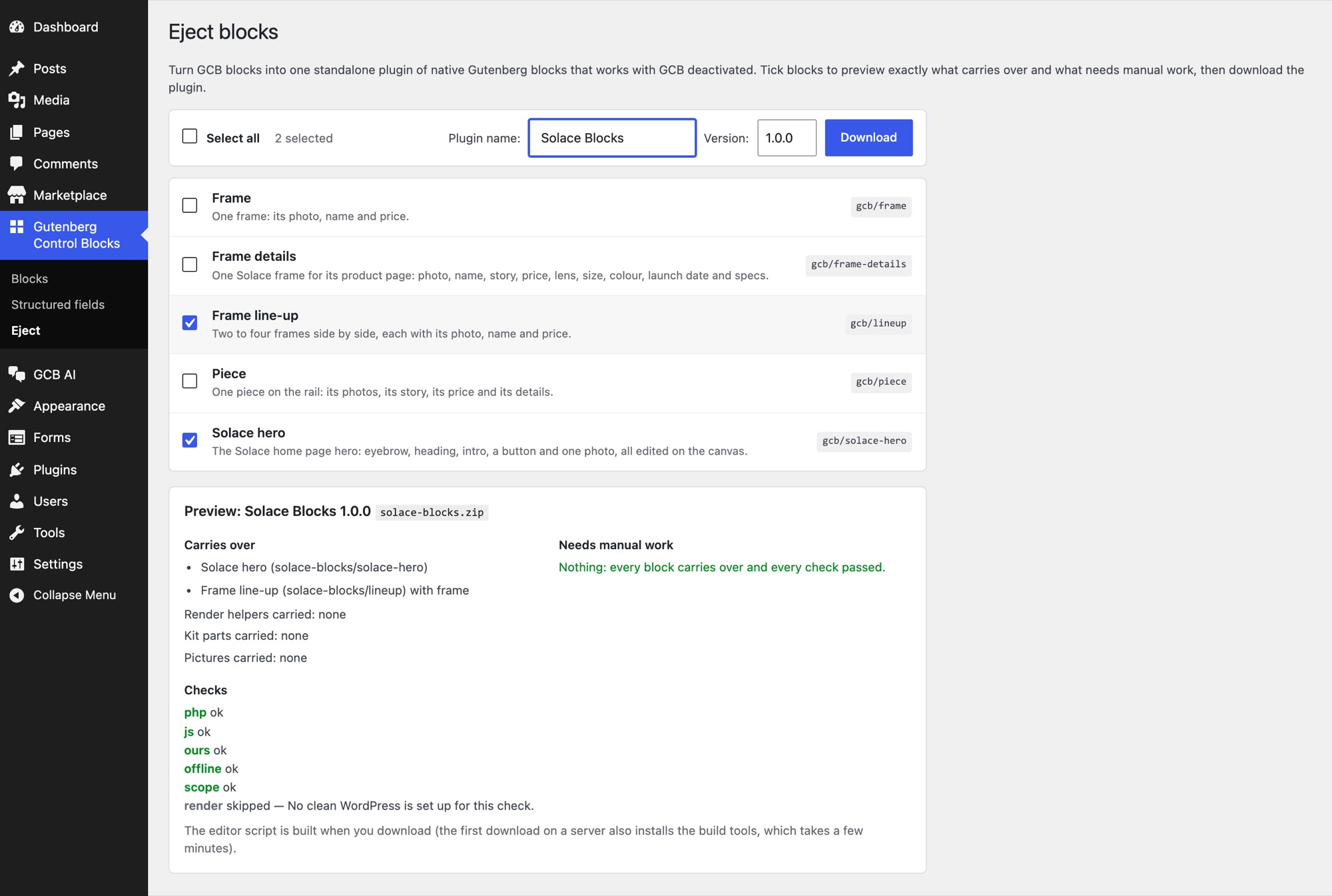
Give every block the fields its design needs: a focal point for a photo, a grid your client can rearrange, a path to draw, layers with real depth. More than 40 field types, built from WordPress's own components and defined in one JSON file.
block.fields.json in your repo1 · Everyday fields
Text, choices, dates, media, colour and content from the site. Each one is a WordPress component your client already knows, with your theme's tokens built in.
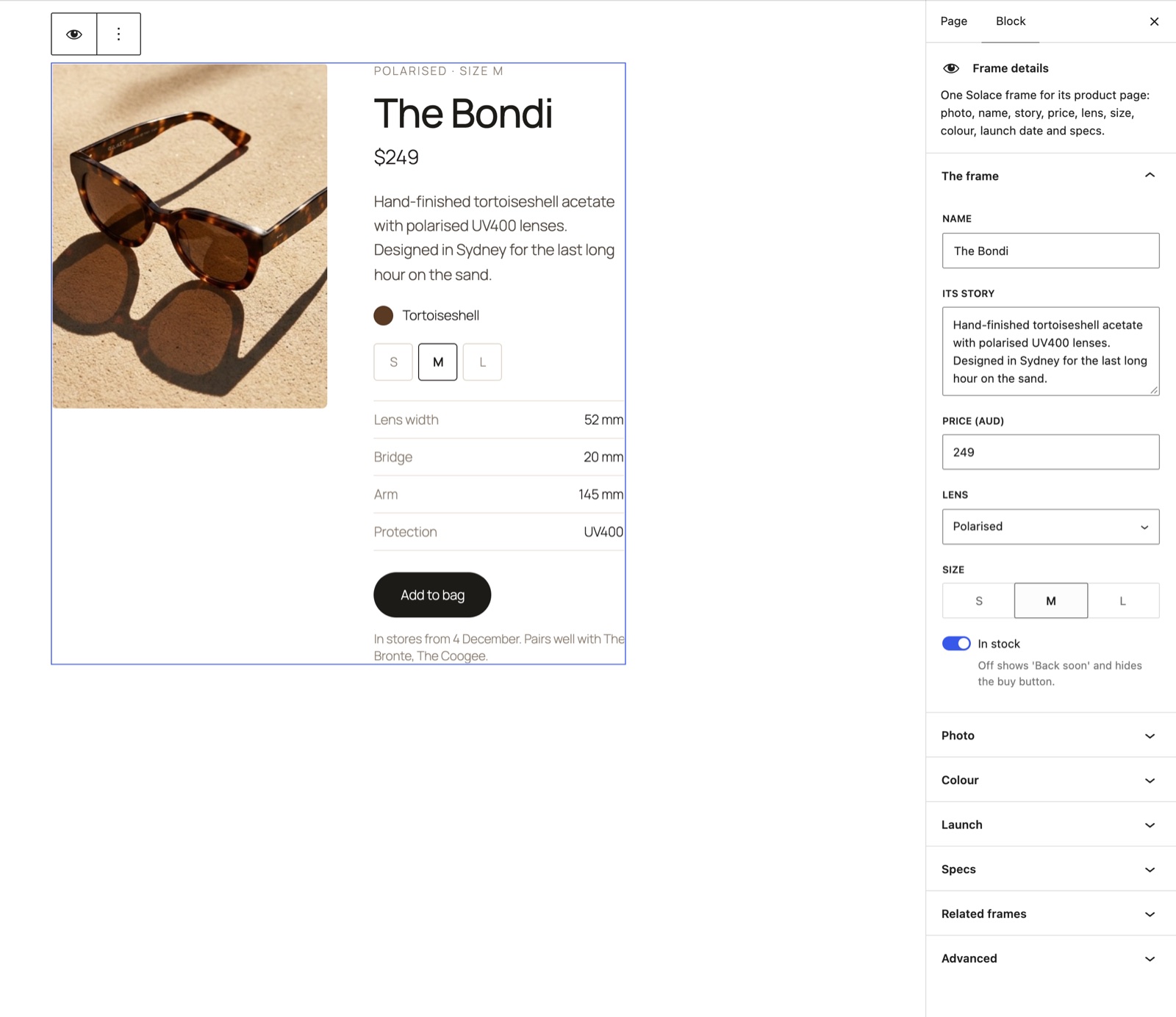
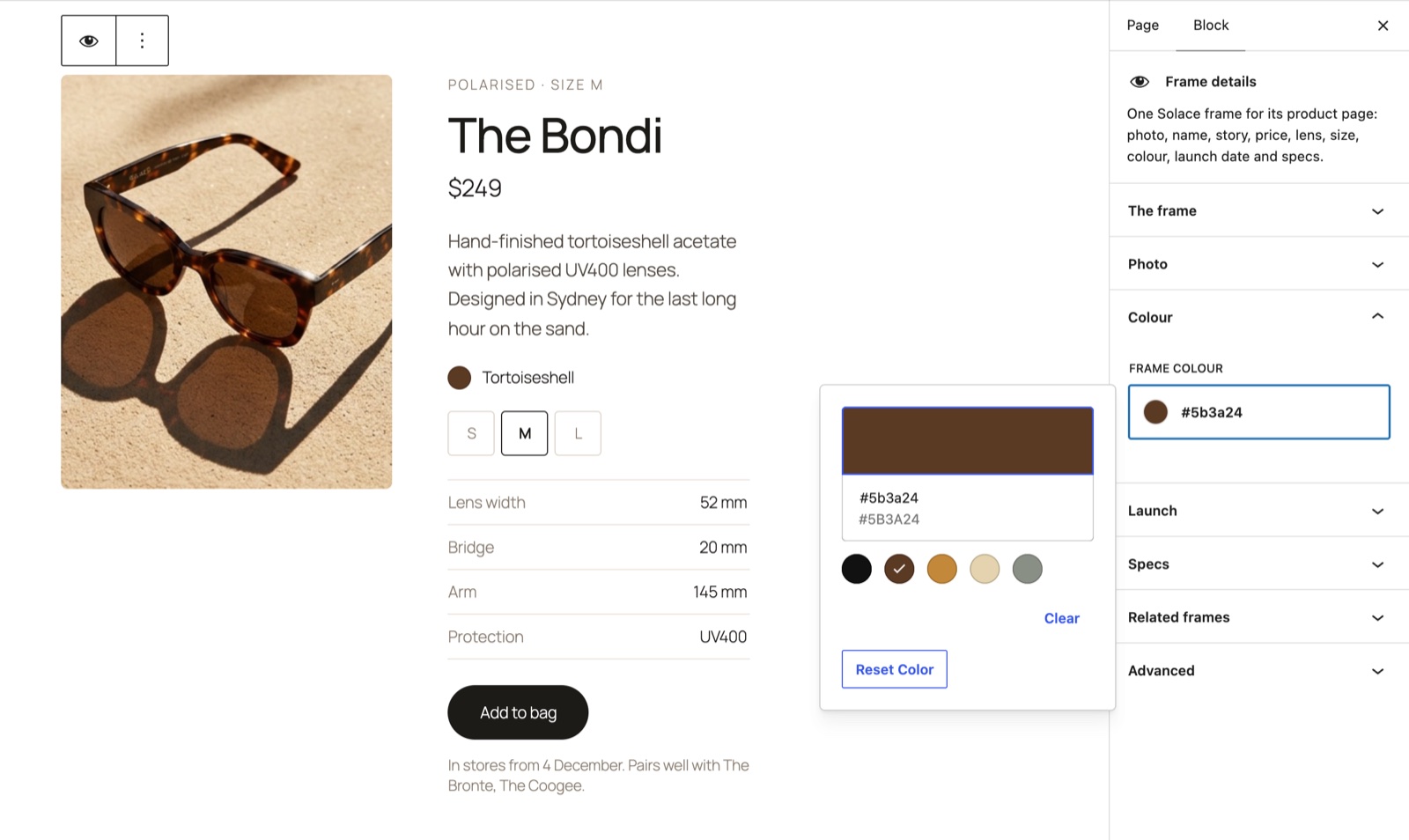
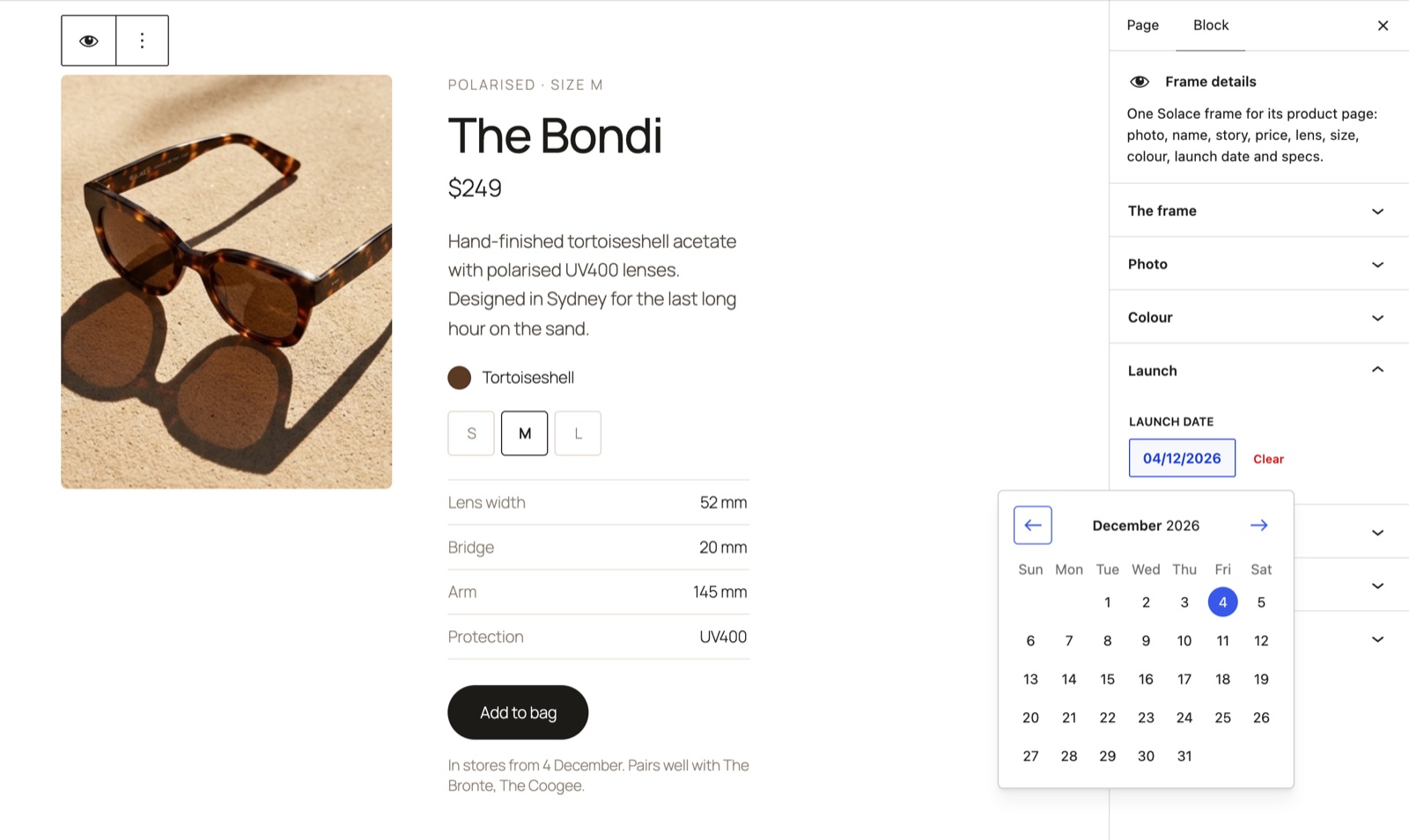
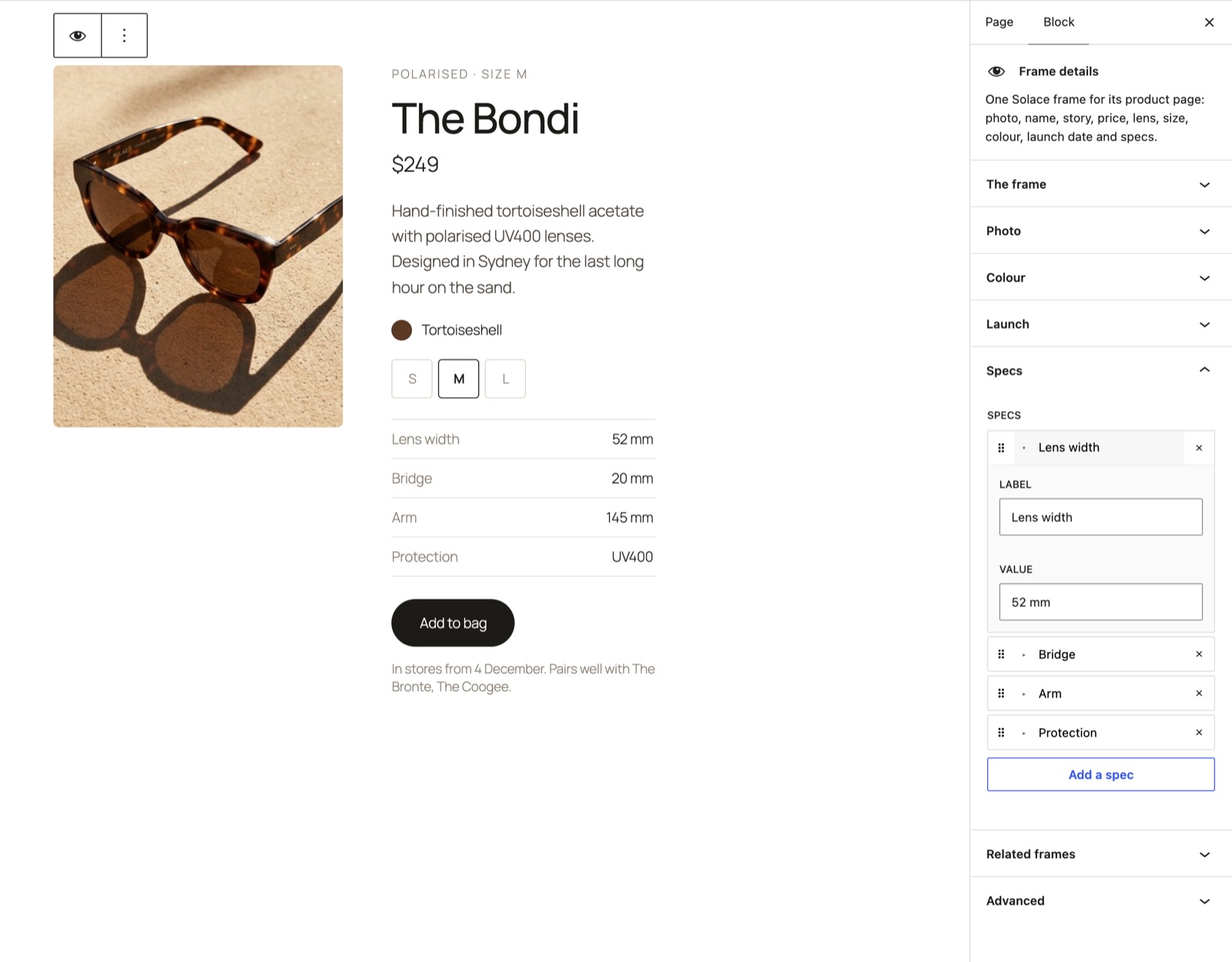
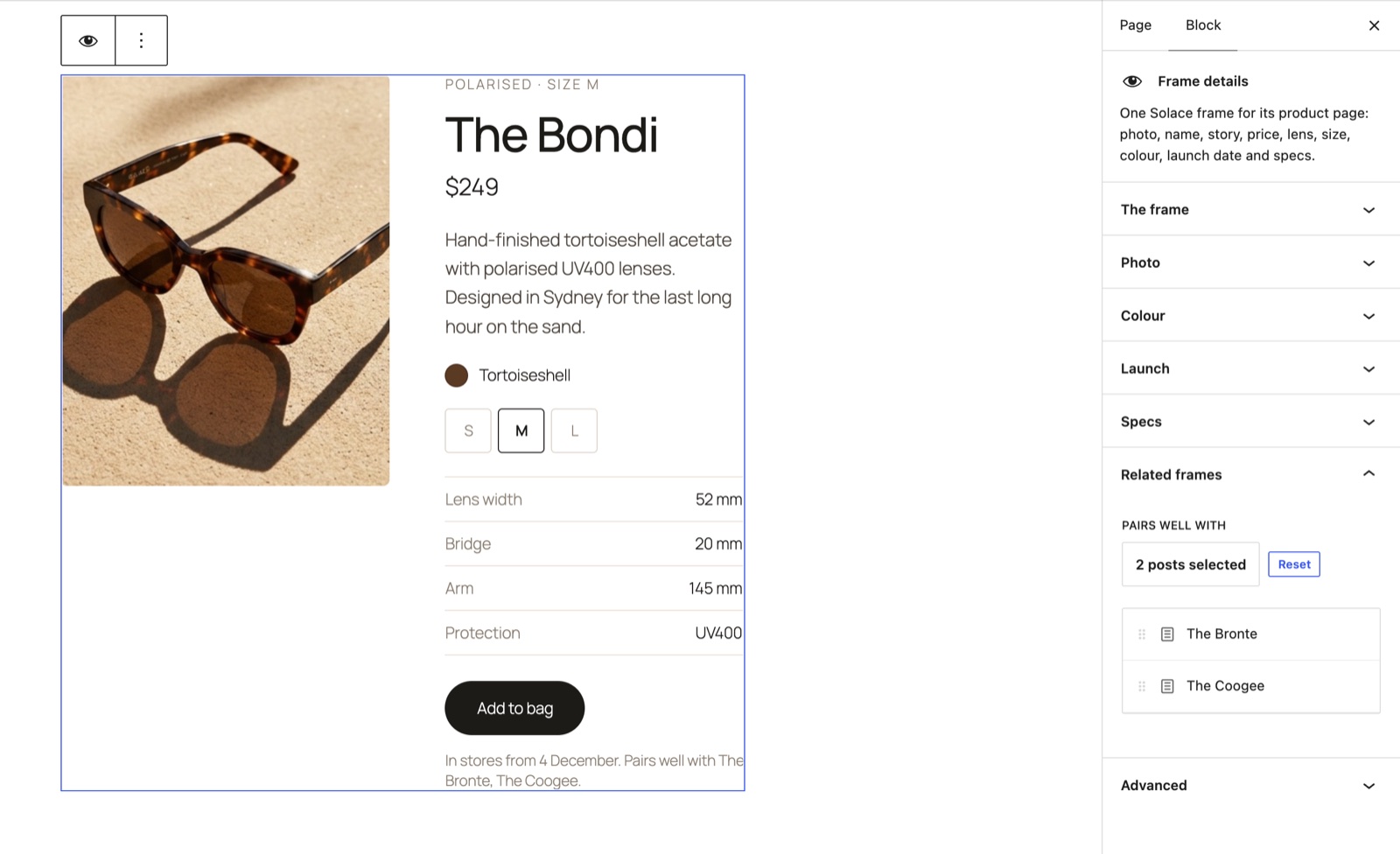
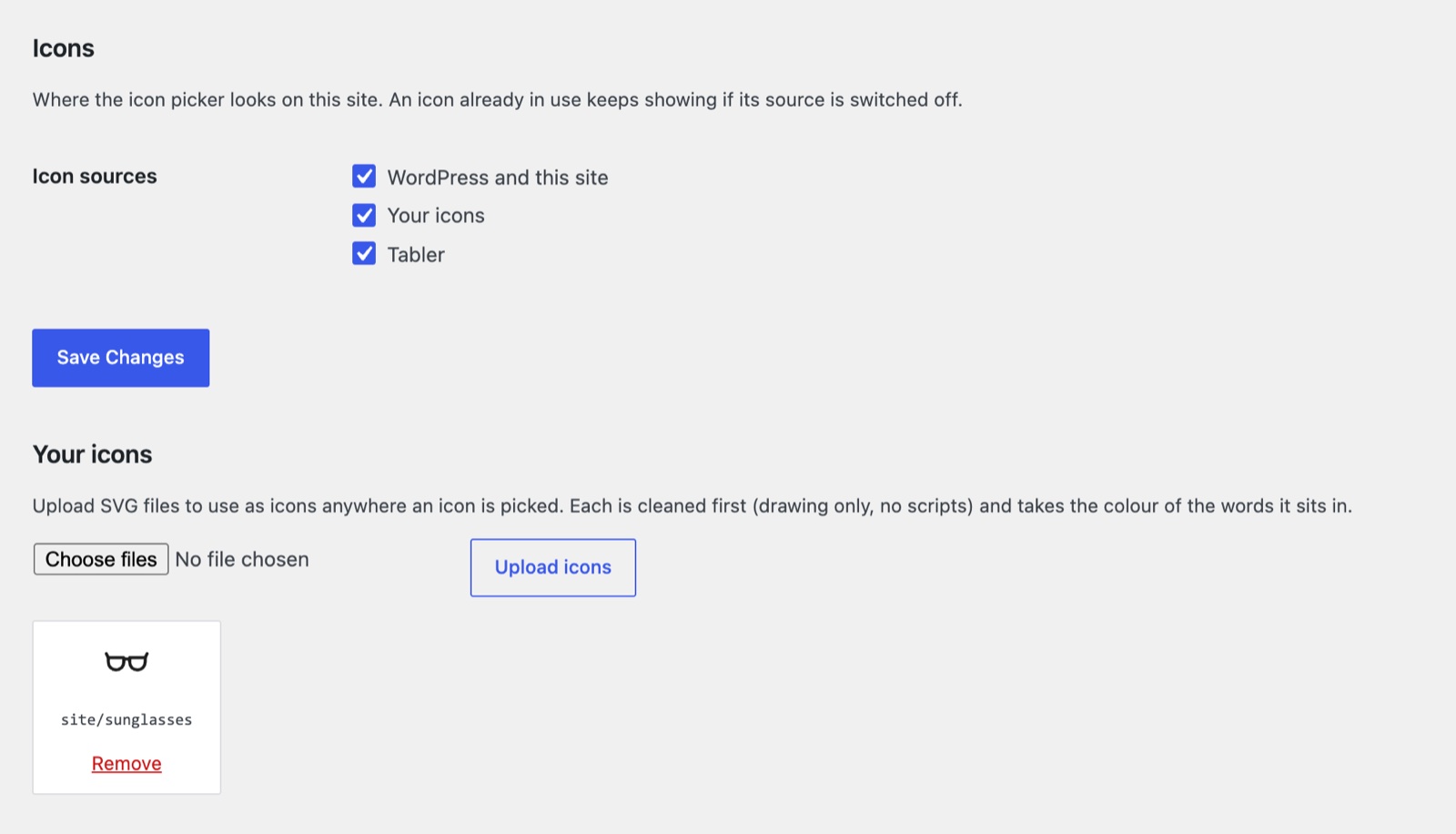
Icons
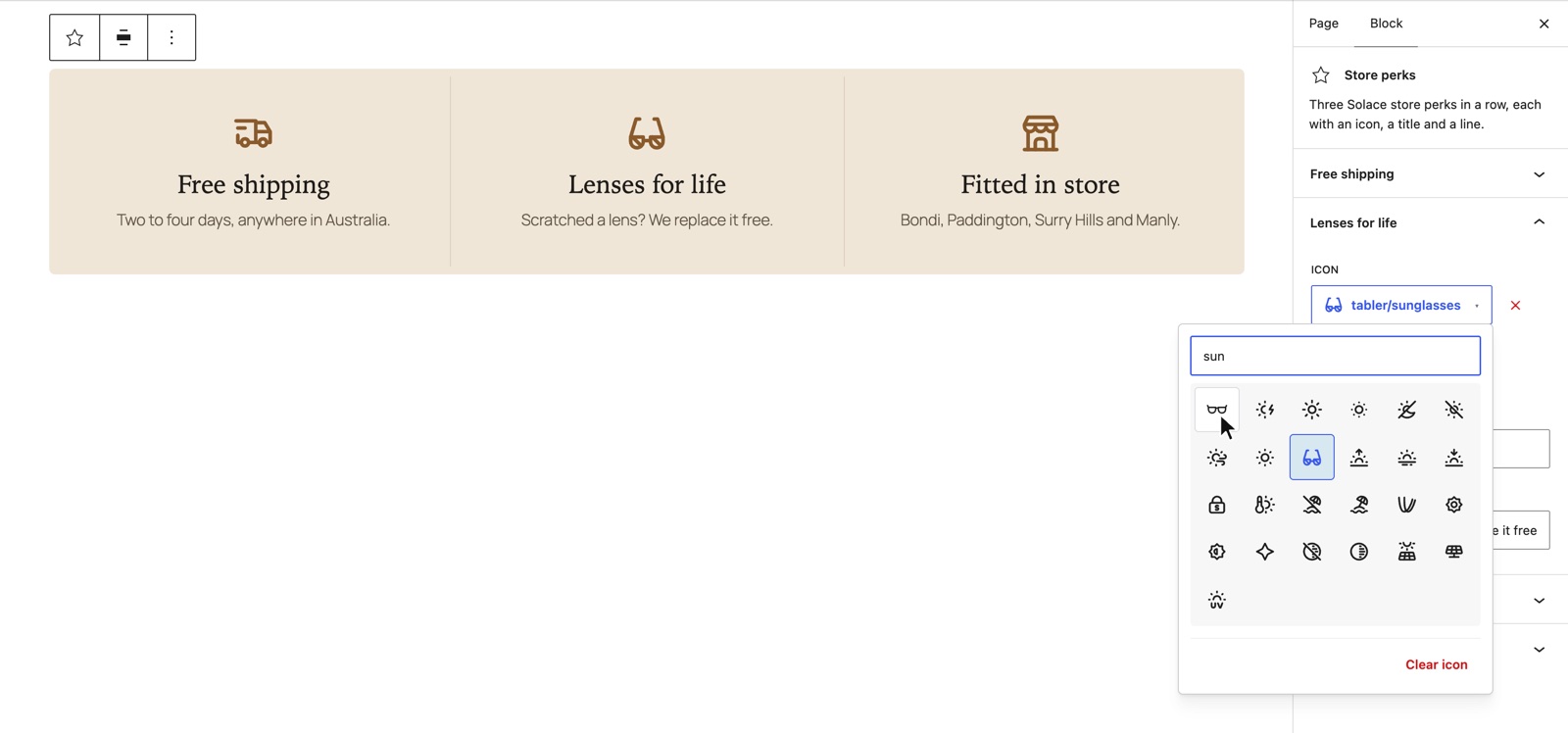
Icons are everywhere on a website, so GCB gives them a proper field. You decide which icons your client can see: switch icon sets on or off for the whole site, or limit a single field to your brand's own icons or a hand-picked list. Your client searches and picks, and only ever sees what your branding allows.
gcblite_icon_sources filter.{
"id": "c_icon",
"type": "icon",
"label": "Perk icon",
"attributeKey": "icon",
"namespace": "site"
}Use namespace to show only one set, such as your uploaded brand icons, or filter to list the exact icons a field allows.
2 · Fields WordPress doesn't have
WordPress gives you components, not a field system. GCB has 20 field types you'd otherwise build by hand for every project: repeaters and relationships, galleries with focal points, maps and icons, layouts your client can rearrange, paths to draw and layers with real depth. This is where a block starts to look custom-made.
Content from the site
Media, icons and places
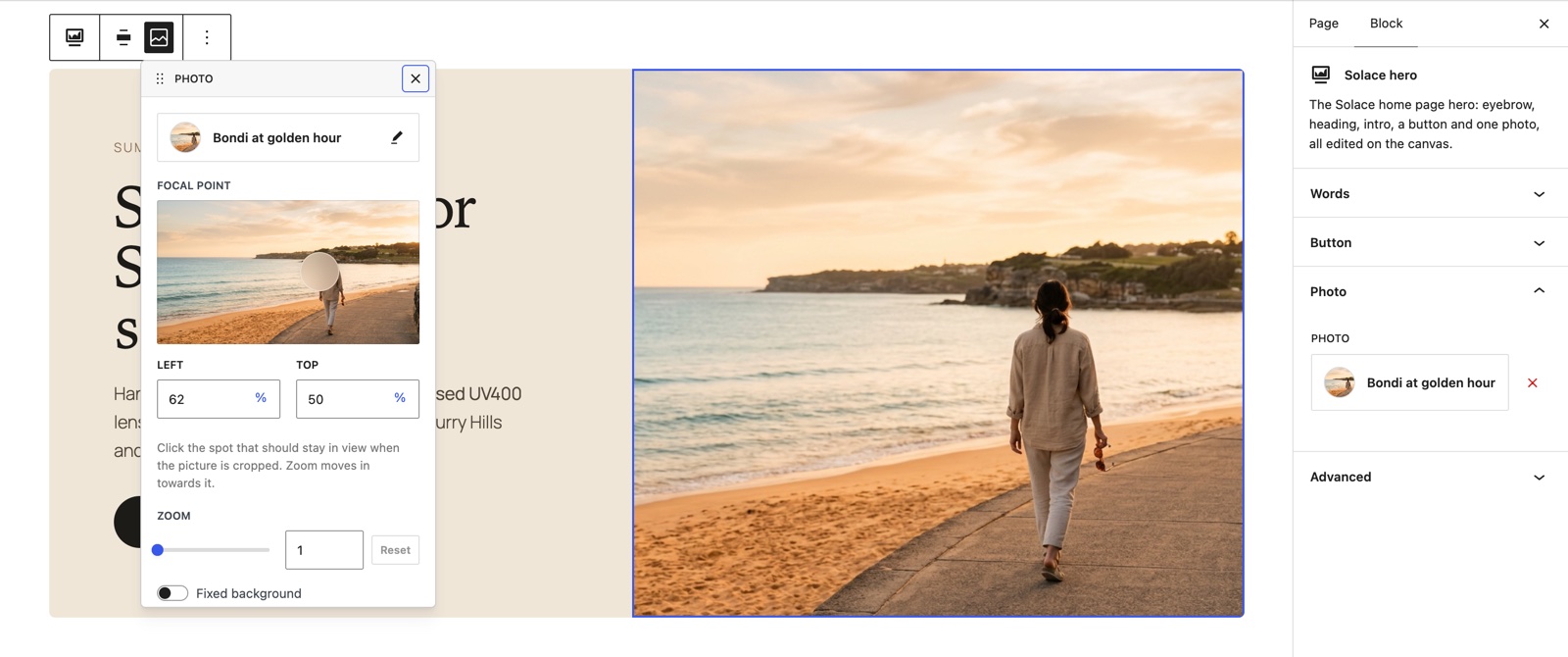
Image field
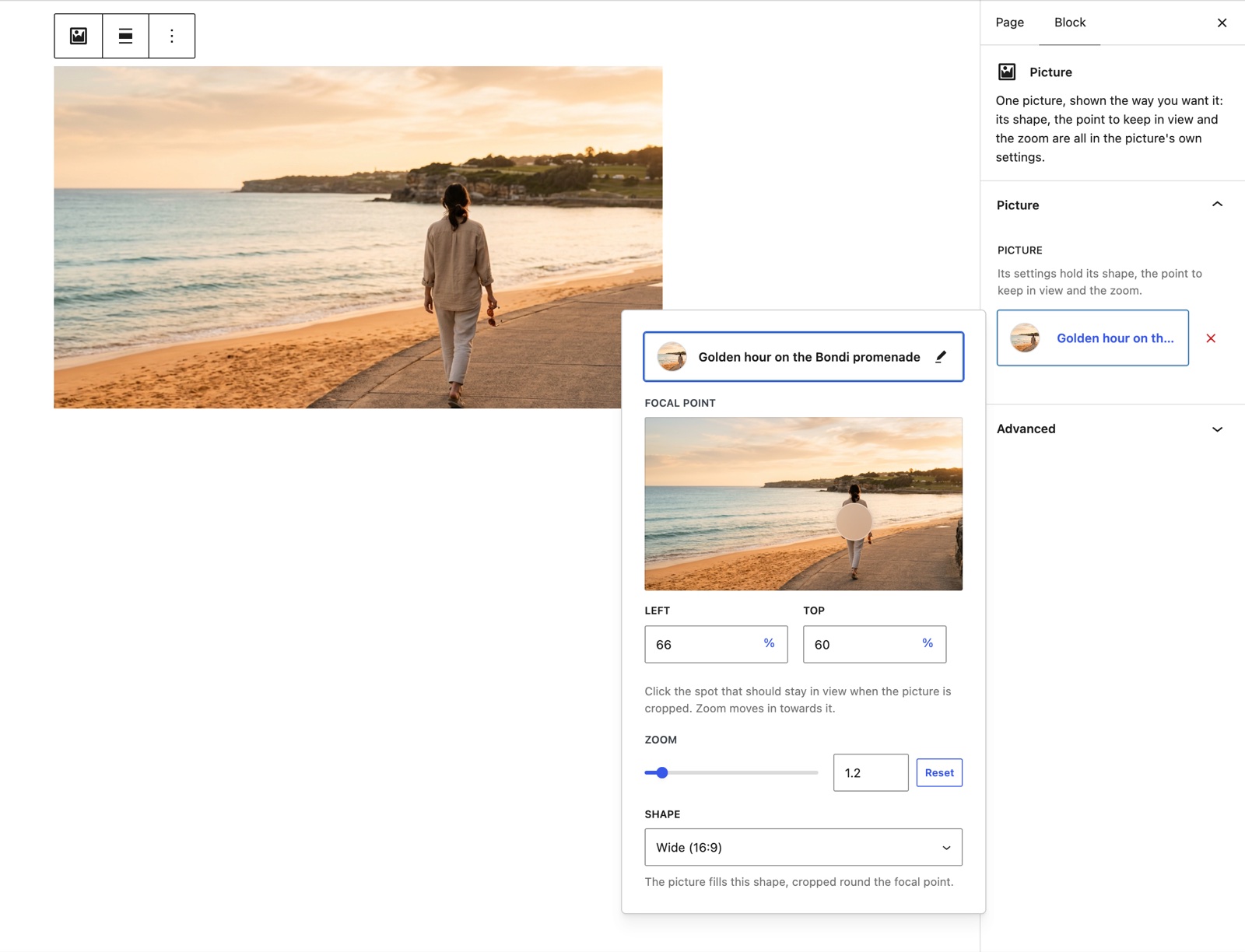
Your client picks from the Media Library and sets a focal point, shape and zoom. The focal point is on by default. Every crop keeps the subject in view, from a full-width banner to a phone.
{
  "id": "c_photo",
  "type": "image",
  "label": "Photo",
  "attributeKey": "photo",
  "enableShape": true,
  "enableTile": false,
  "enableRepeatOptions": false,
  "enableFixedBackground": false
}
Layout field
Your client drags boxes into place and resizes them from a corner, then fills each box with blocks: an image, a heading, text, a button.
{
  "id": "c_layout",
  "type": "layout",
  "label": "Layout",
  "attributeKey": "layout",
  "cols": 3,
  "minItemPx": 200
}
Path field
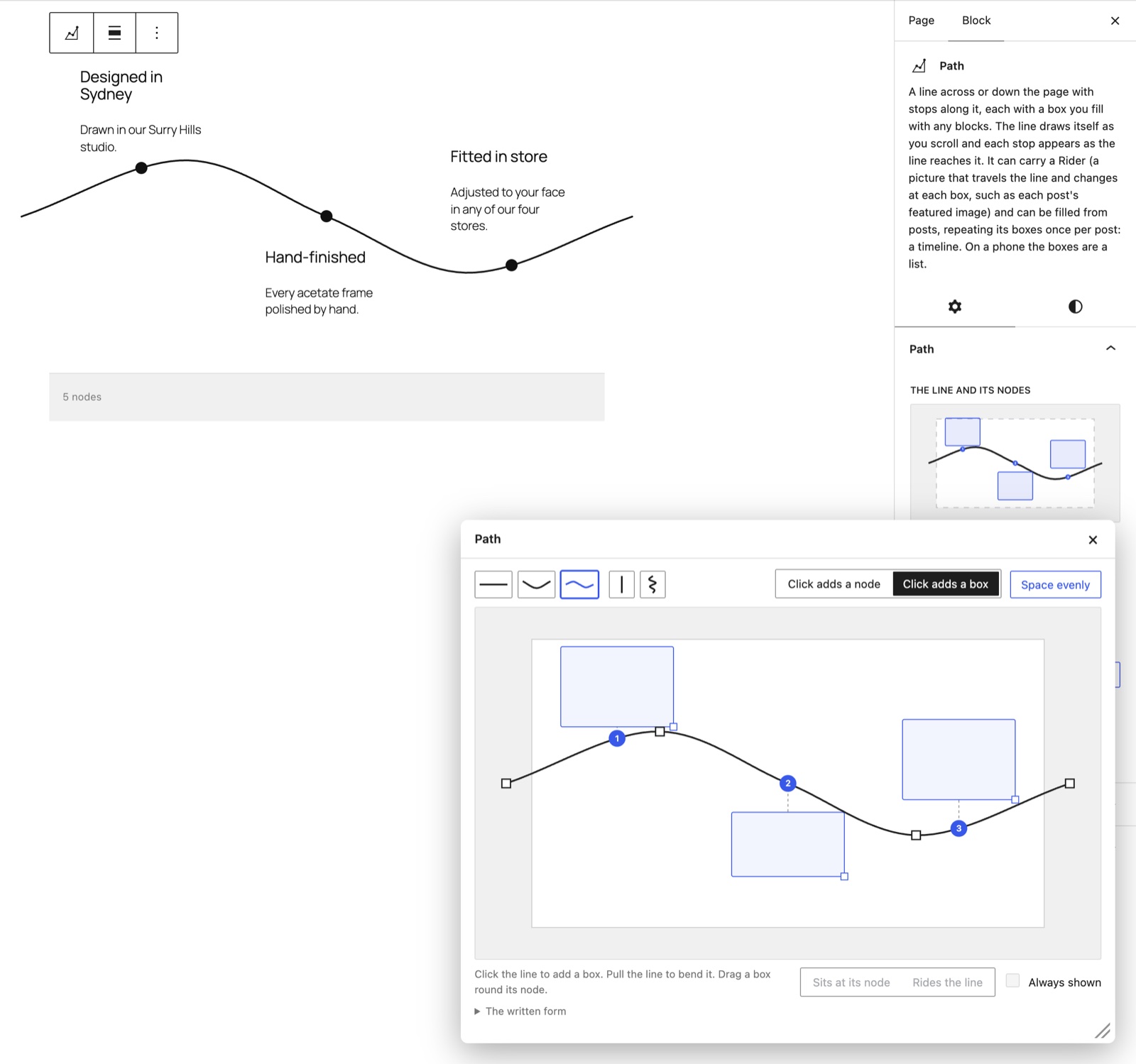
Bend the line right in the editor and put stops along it. Each stop holds any blocks, and with the Path block the line draws itself in as visitors scroll.
{
  "id": "c_route",
  "type": "path",
  "label": "Route",
  "attributeKey": "route"
}
Layers field
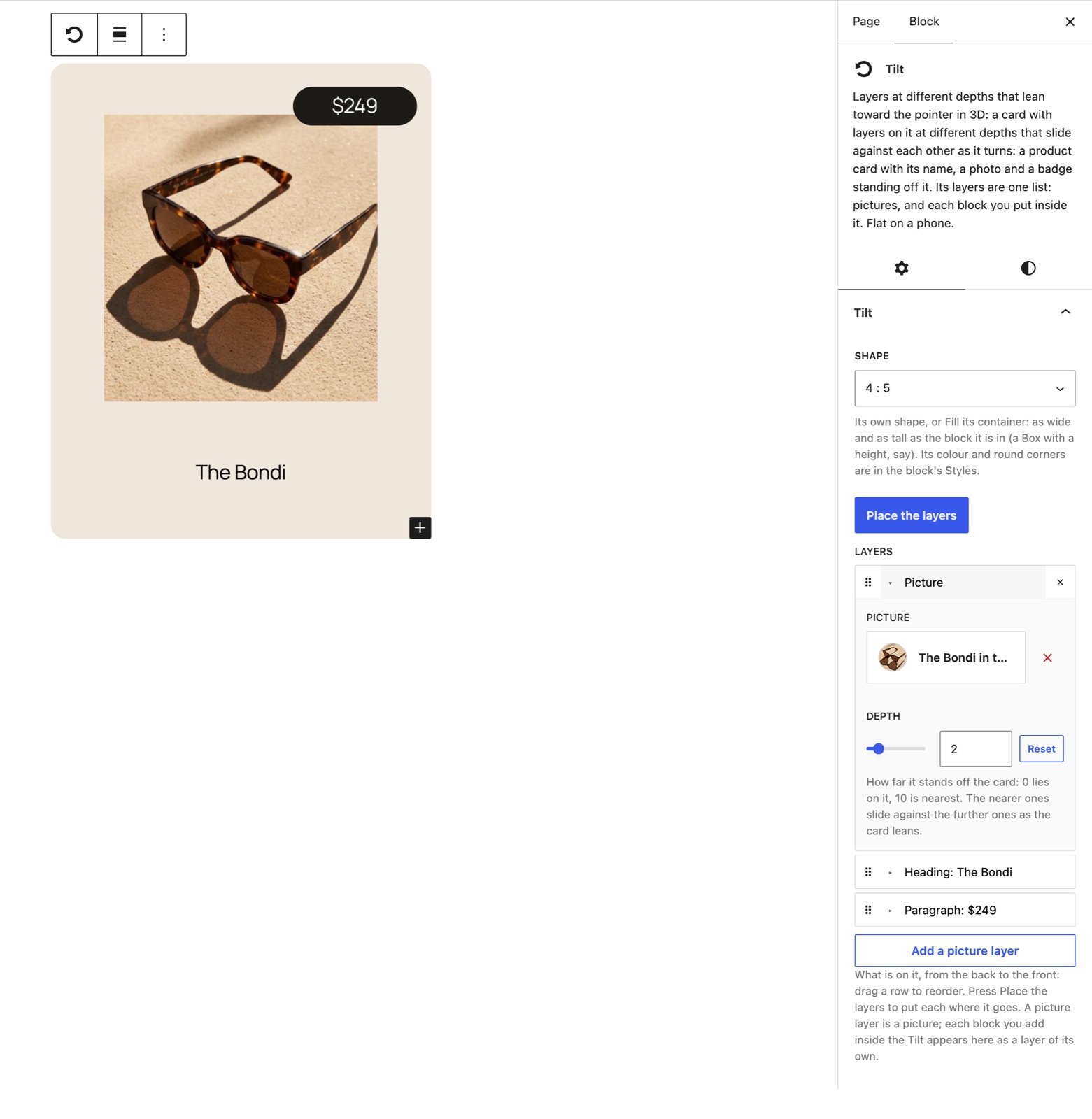
Stack a photo, a name and a badge as layers and give each its own depth. The Tilt block leans the card toward the pointer and the near layers slide over the far ones, with no JavaScript to write. Move your mouse over the card to try it.
{
  "id": "c_stack",
  "type": "layers",
  "label": "Layers",
  "attributeKey": "stack"
}
Live: move your pointer over the card
Scroll timeline
Hold a scene on screen while the page scrolls and set each layer's place, size and any CSS at moments along the way: a photo that grows and turns, a heading that fades in, a stage colour that changes. The Scene block eases between the keyframes. No animation code to write.
opacity: 0;
rotate: -8deg;
filter: blur(6px);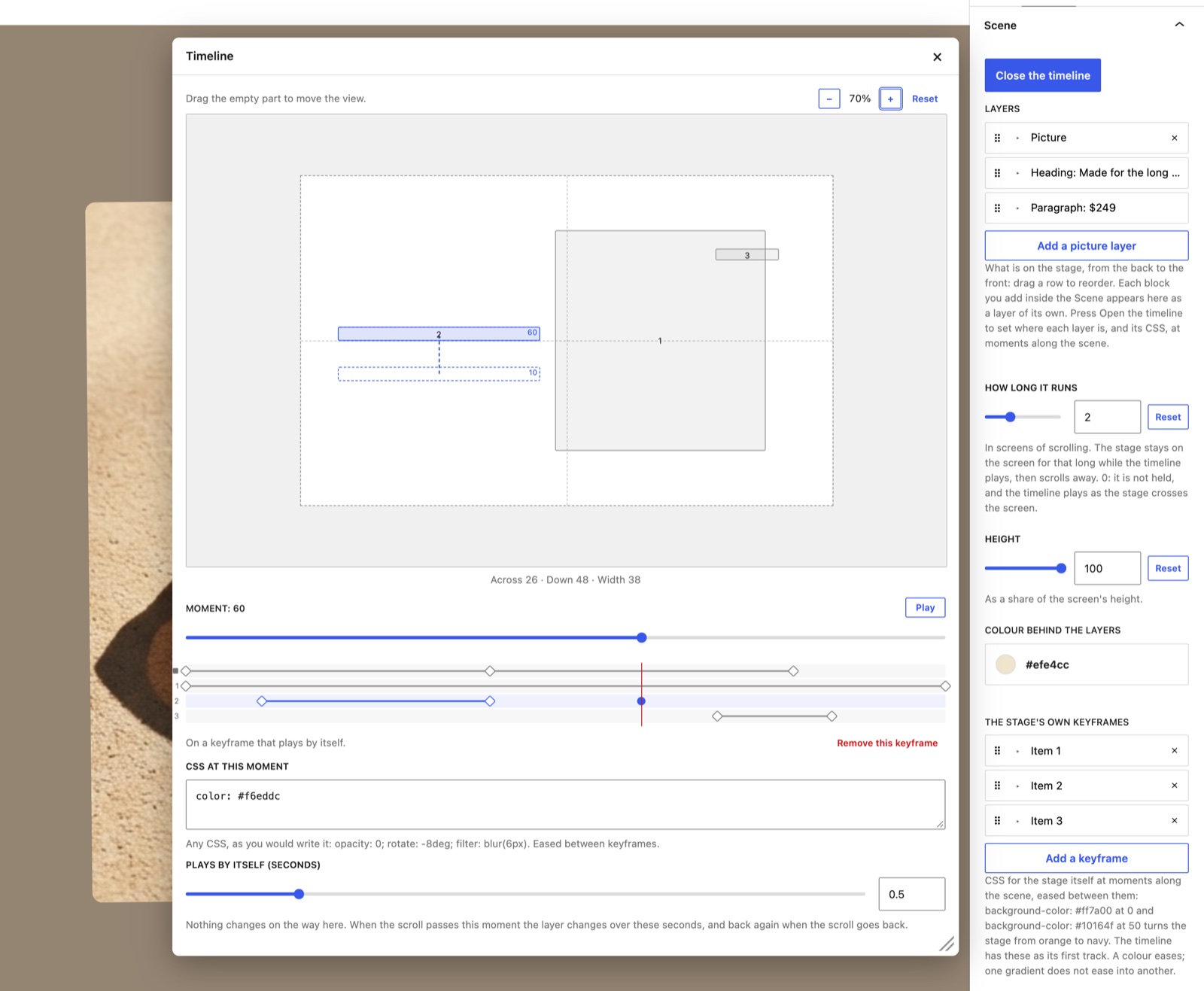
3 · Your own fields
Every GCB field is made from WordPress components, and you can use the same parts. This star rating is a whole field type: declare it in PHP, draw it with WordPress's own buttons, and use "type": "rating" in any block. Write it by hand, or ask Claude Code.
Ask Claude Code“Make a GCB field type for a star rating from 1 to 5.”
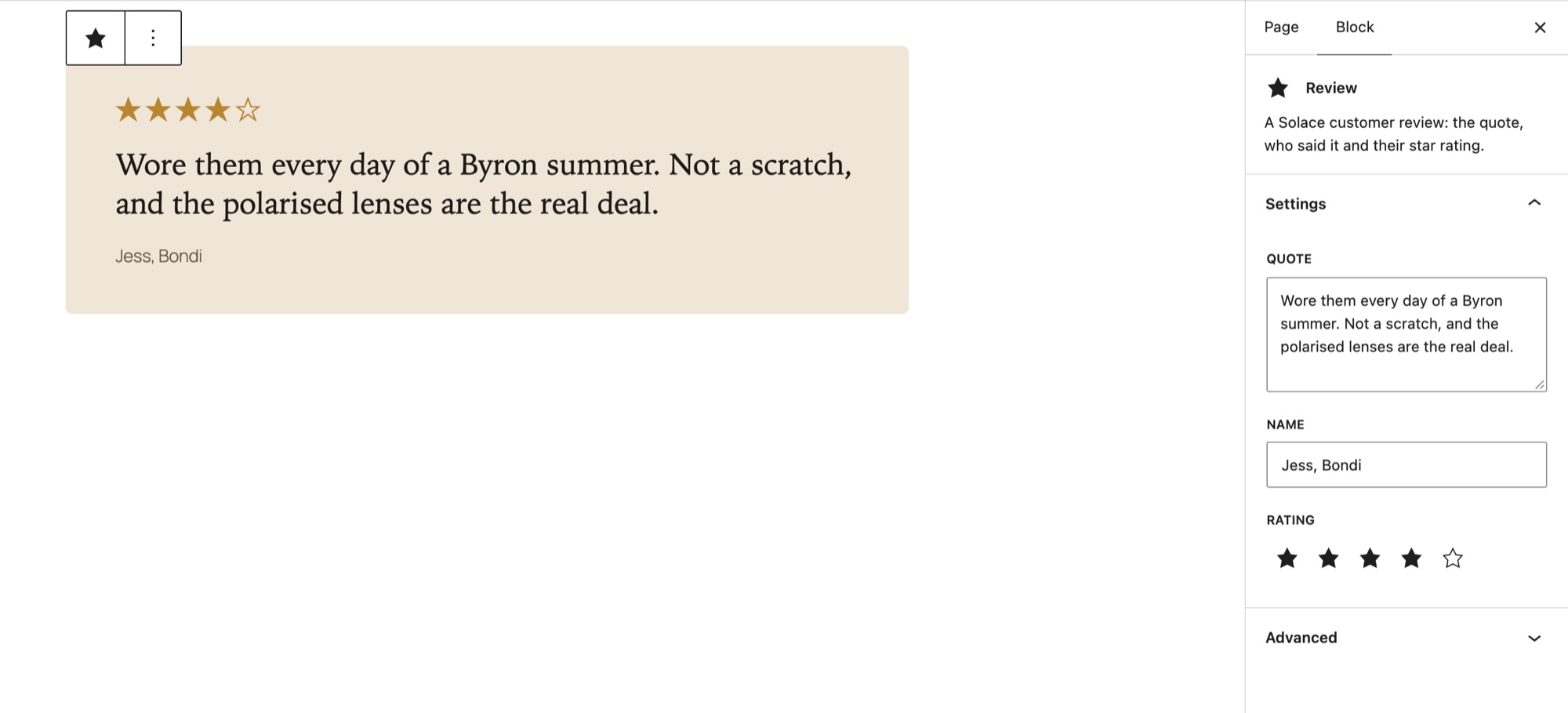
add_action( 'gcblite_register_control_types', function () {
  wp_register_script( 'rating-field', content_url( 'mu-plugins/rating/rating.js' ), [ 'wp-element', 'wp-components' ] );
  gcblite_register_control_type( 'rating', [ 'shape' => 'integer', 'script' => 'rating-field' ] );
} );const { createElement: el } = wp.element;
const { BaseControl, Button } = wp.components;
window.gcbLiteControls.register( 'rating', ( { control, value, onChange } ) =>
el( BaseControl, { label: control.label },
el( 'div', null, [ 1, 2, 3, 4, 5 ].map( ( n ) =>
el( Button, { key: n, label: n + ' stars', onClick: () => onChange( n ),
icon: n <= value ? 'star-filled' : 'star-empty' } )
) )
)
);{ "id": "c_stars", "type": "rating", "label": "Rating", "attributeKey": "stars" }Define fields once and use them for structured content too. Add the same field types, with validation, to any post type, an options page, categories and tags, or user profiles, then read the values in PHP or from the REST API as typed JSON.
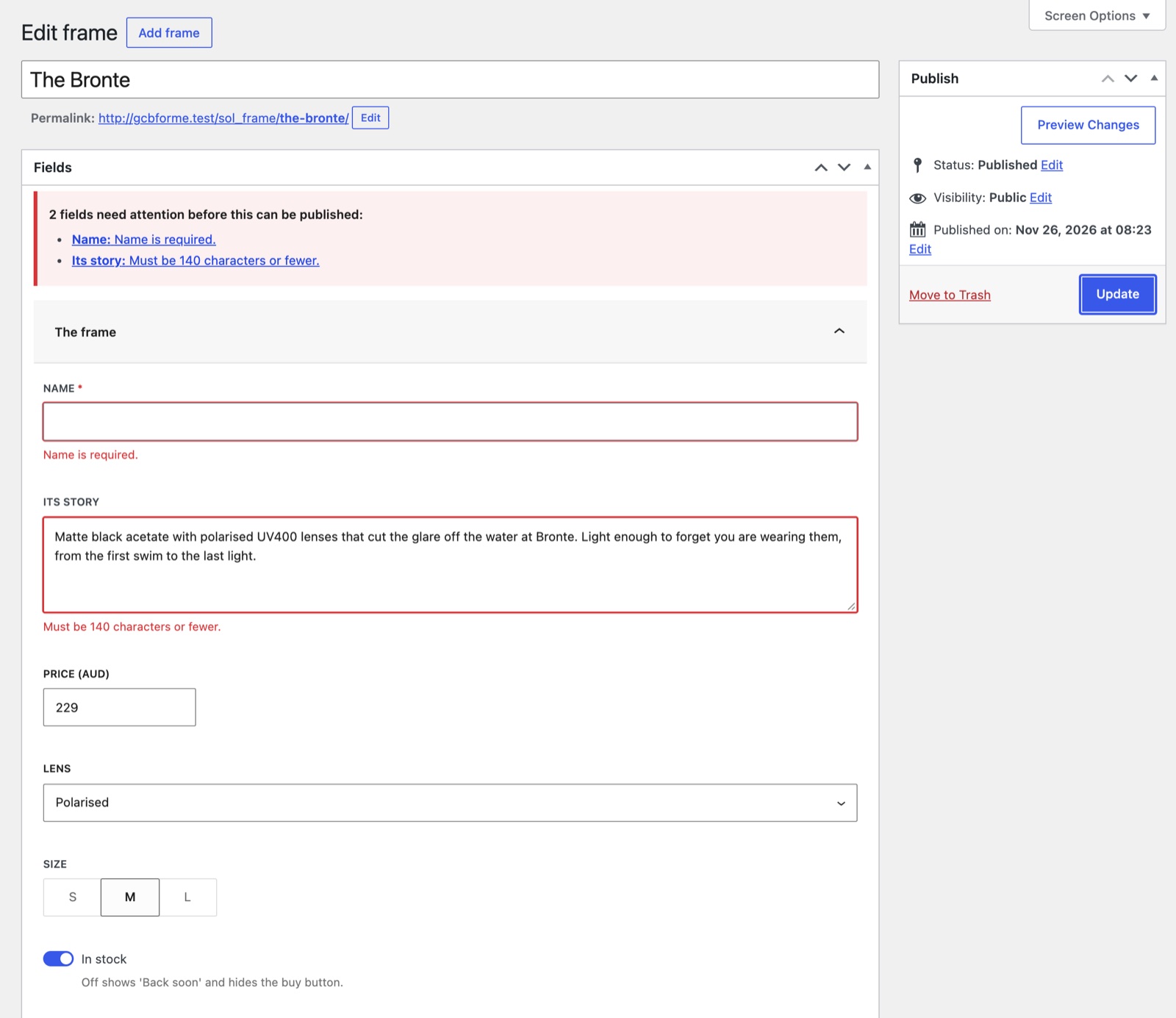
gcblite_register_post_fields()For team members, testimonials, projects and any other kind of record.gcblite_register_options_fields()For site-wide settings such as opening hours or social links.gcblite_register_taxonomy_fields()Add an image or a colour to each category.gcblite_register_user_fields()Add a job title, a photo or a short bio to each author.Fields can offer your theme's tokens instead of any value: set a field's tokenGroup and tokenKeys and it offers your palette or spacing presets from theme.json. A spacing field stores the preset's name, so your blocks follow the theme when it changes.
{}block.fields.json the same in every theme
{ "id": "c_background", "type": "color",
  "label": "Background", "attributeKey": "background",
  "tokenGroup": "color:palette",
  "tokenKeys": [ "primary", "base", "contrast" ] },

{ "id": "c_space_below", "type": "spacing",
  "label": "Space below", "attributeKey": "spaceBelow",
  "tokenGroup": "spacing:presets" }
From this theme: primary base contrast
Colours from theme.json.
Space belowColour fields show your theme's palette automatically.
Spacing fields use your theme's spacing presets and store the preset's name.
Choose which tokens each field offers, and turn off custom values.
Add a token while setting up a field and GCB can save it to your theme's theme.json, if the file is writable.
Works with block themes, and classic themes such as Astra
When the editor loads, GCB fetches the previews for every block on the page in a single request to /gcblite/v1/render-batch (up to 100 blocks per page), instead of one request per block. The whole page appears at once.
All 14 previews come back in one response.
Blocks that haven't changed reuse their last preview, and GCB sends only the latest change.
Typing on the page doesn't send a request with every key press.
Front-end previews are cached, so they show straight away and refresh in the background.
You decide how much your client can change, block by block. Give them InnerBlocks where they should be free to add blocks, limited to the blocks you allow, or typed fields where you want control over exactly what goes in.
Freedom, on your terms
As with a pattern, your client can add, move and remove blocks inside the area. Unlike a pattern, you choose which blocks are allowed from a list, and the block around them can run its own JavaScript, such as a carousel, a filter or a scroll animation.
<InnerBlocks allowedBlocks='["core/heading", "core/paragraph", "core/buttons"]' />
Control
Your client fills in exactly the fields you define. Colours and spacing come from your theme's tokens, and a list's minimum and maximum stop the page from saving until it's right.
block.fields.json
Both
Use typed fields for the parts that must stay on brand, such as a heading, an image and a colour, and InnerBlocks for the parts your client should shape themselves.
fields + <InnerBlocks />
Core Gutenberg allows one InnerBlocks area per block. With GCB, one block can have several, such as an introduction, an image and a row of buttons, each in its own area marked with data-gcb-slot.
<section <?= get_block_wrapper_attributes() ?>>
  <div class="intro">
    <InnerBlocks data-gcb-slot="0" />
  </div>
  <figure class="media">
    <InnerBlocks data-gcb-slot="1" />
  </figure>
  <footer class="actions">
    <InnerBlocks data-gcb-slot="2" />
  </footer>
</section>
import InnerBlocks from '@/components/InnerBlocks';
export default function Feature({ slots }) {
return (
<section className="feature">
<div className="intro"><InnerBlocks blocks={slots[0]} /></div>
<figure className="media"><InnerBlocks blocks={slots[1]} /></figure>
<footer className="actions"><InnerBlocks blocks={slots[2]} /></footer>
</section>
);
}Hover over a line of code to see which area it fills.
Write your block templates in PHP, or render them from any server that returns HTML over HTTP: Next.js, Astro, Nuxt, SvelteKit and the rest. Twig and Blade work through your own bridge in render.php, such as Timber or Acorn. GCB reads the markers in that HTML (fields edited in place, InnerBlocks and Repeater areas) and turns them into the editor; the sidebar comes from block.fields.json. It's just HTML, so if your stack can output it, you can build a block with it.
phprender.php
<h2 data-gcb-field="heading"
    data-gcb-field-type="text">
  <?= esc_html( $attributes['heading'] ) ?>
</h2>
<InnerBlocks data-gcb-slot="0" />jsxFeature.jsx
<h2 data-gcb-field="heading"
    data-gcb-field-type="text">
  {attributes.heading}
</h2>
<InnerBlocks />twigfeature.twig
<h2 data-gcb-field="heading"
    data-gcb-field-type="text">
  {{ attributes.heading }}
</h2>
<InnerBlocks data-gcb-slot="0" />bladefeature.blade.php
<h2 data-gcb-field="heading"
    data-gcb-field-type="text">
  {{ $attributes['heading'] }}
</h2>
<InnerBlocks data-gcb-slot="0" />
The HTML GCB reads
<h2 data-gcb-field="heading" data-gcb-field-type="text">Made in Sydney since 2014.</h2>  ← the heading field, edited in place
<innerblocks data-gcb-slot="0"></innerblocks>  ← a live area for any block
Headless, finally solved
Teams have tried for years to go headless without losing the block editor, and most ended up with clients editing grey boxes and forms. GCB does it: WordPress for editing, Next.js or another framework for your front end, and the editor loads each block's preview from your front end, so your client edits the real design.
Our stores
Find your nearest store
Our stores
Find your nearest store
The block editor, sidebar fields, undo and revisions all work as usual.
Your own components render each block's preview, so what your client sees is what gets published.
Read the page's blocks and fields from WordPress and render them in React or any other framework. Every GCB REST route is listed in the docs.
Real Gutenberg blocks, typed fields, theme tokens and code in Git. It gives you an edge over agencies still building with legacy ACF field groups and page builders, and your clients get a site that's easier to edit and harder to break.
| Feature | GCB | ACF Blocks | block.json + React | Page builders |
|---|---|---|---|---|
| Standard Gutenberg blocks, registered with block.json | Yes | Yes | Yes | No |
| More than 40 field types, saved as JSON | Yes | 30+, with Local JSON | Build each one | Their own widgets |
| Edit text right on the page | Yes | Yes (ACF PRO 6.7+, opt-in) | If you code it | Yes |
| One template for the editor and the front end | Yes | Yes | No, edit.js and render | – |
| Repeatable blocks on the page | Yes | With InnerBlocks | Build it | Some |
| Multiple InnerBlocks areas in one block | Yes | One | One | – |
| Fields for posts, options, terms and users | Yes | Yes | register_meta, by hand | No |
| Batch rendering, with one request per page | Yes | – | No, one per block | – |
| Fields that use theme.json tokens | Yes | – | By hand | Their own system |
| Headless, with visual editing | Yes | – | No | No |
Every licence includes all features and a year of updates. Choose a plan for the number of sites you need.
$49a year
$149a year
$249a year
30-day money-back guarantee.
Prices are in US dollars. Licences renew each year at the same price, and you can turn off renewal at any time. Local and staging sites don't count towards your limit: localhost, *.localhost, *.test, *.local, staging.* and dev.*.
Requirements: WordPress 7.0 or later and PHP 7.4 or later. GCB is licensed under the GPL (version 2 or later), and your licence includes a year of updates.
It's a WordPress plugin for building your own Gutenberg blocks with fields, including text, images with focal points, maps, layouts, paths, layered scenes and over 30 more. You write the block's template in PHP or React and list its fields in JSON, and your client edits the block in the editor they already know.
Run wp gcblite scaffold team-grid --controls="heading:text,intro:textarea" and GCB writes a folder in your theme's blocks/ directory with block.json, block.fields.json, render.php and style.css. Add --dry-run to see the block.json and the files it would write. A PHP block has no build step: there's no edit.js or save.js to write, because GCB builds the editor from your fields.
No. GCB extends WordPress rather than replacing it. Each block is registered with block.json, its fields use the same @wordpress/components as the core editor, and its colours and sizes come from theme.json and WordPress's --wp--preset--* variables. As WordPress changes, your blocks keep working with it.
Yes, and with other coding agents too. Each block is a folder of plain files, and the full documentation is public and ships as llms.txt, so your agent can read it. Agents can also pipe a JSON spec to wp gcblite scaffold --stdin. If you ask for a store locator, for example, the agent builds one with the fields your client needs.
Each licence comes with a key for its number of sites: a Personal licence covers one site, Freelancer covers ten, and Agency covers as many as you like. The key gives those sites a year of updates and support.
Yes. Get in touch and we'll move you to the bigger licence.
No. Sites on localhost, *.localhost, *.test, *.local, staging.* and dev.* are free. Only live sites count towards your limit.
Yes. If GCB isn't right for you, ask for a refund within 30 days and you'll get your money back in full.
No. GCB fetches every block's preview in one request instead of one per block, reuses previews that haven't changed, and doesn't contact the server while your client types on the page.
Only as much as you let them. Where you use InnerBlocks, your client can add and arrange blocks, but only the ones you've allowed. Where you use typed fields, they can only fill in what you've defined: colours and spacing come from your theme's tokens, and a list's minimum and maximum stop the page from saving until it's right. You can mix both in one block.
Yes. Declare the type in PHP with gcblite_register_control_type() on the gcblite_register_control_types action, and register its React component with window.gcbLiteControls.register(). It then works in any block.fields.json, like the built-in fields. Every gcblite_* action and filter is listed in the docs too, such as gcblite_block_dirs for loading blocks from your own plugin.
No. Your templates are plain PHP or React, your fields live in block.fields.json in your own repository, versioned in Git, so every change is a diff you can review. The blocks are the same kind WordPress uses for its own, and nothing is hidden in the database.
Still got a question? Email admin@gutenbergcontrolblocks.com.
No lock-in
Make WordPress beautiful, and keep control of every block. Your client doesn't need to learn a separate builder, and there's nothing to migrate away from later. Your blocks sit alongside the core blocks, use your theme's styles and keep up with WordPress as it changes.